
To stay organized with a tech-savvy approach, focus on smart apps like Todoist or Notion for task management, and use automation tools like Zapier or IFTTT to connect your services and reduce manual work. Prioritize digital minimalism by decluttering apps and customizing notifications to stay focused. Smart workflows help you track deadlines and goals effortlessly. Keep exploring these tools, and you’ll discover more ways to simplify your digital life and boost productivity.
Key Takeaways
- Use automation tools like Zapier and IFTTT to connect apps and streamline repetitive tasks efficiently.
- Prioritize high-quality, integrated apps to reduce digital clutter and enhance workflow effectiveness.
- Implement digital minimalism by decluttering apps, managing notifications, and focusing on essential tools.
- Design personalized workflows that automate scheduling, reminders, and data management for better organization.
- Regularly review and optimize your digital setup to maintain clarity, focus, and productivity.

Staying organized in today’s fast-paced world can be challenging, but luckily, there are countless apps and smart tools designed to help you manage your tasks efficiently. One of the most effective ways to streamline your productivity is through task automation. Instead of manually handling repetitive chores—like scheduling meetings, sending follow-up emails, or updating spreadsheets—these tools let you set up workflows once and forget about them. For example, apps like Zapier or IFTTT connect your favorite services, automatically transferring data, creating reminders, or posting updates across platforms. This not only saves time but also reduces the mental clutter that comes with juggling multiple tasks. By automating routine activities, you free up mental space to focus on what truly matters, making your workflow more seamless and less stressful.
As you adopt task automation, it’s essential to embrace digital minimalism. This means intentionally reducing digital clutter and focusing only on the tools and apps that genuinely enhance your productivity. When you try to use too many apps at once, you can end up overwhelmed, defeating the purpose of staying organized. Instead, choose a few high-quality platforms that integrate well with each other and serve your specific needs. For instance, syncing your calendar with a task manager like Todoist or Notion keeps everything in one place, making it easier to stay on top of deadlines without jumping between apps. Digital minimalism encourages you to declutter your digital environment—unsubscribe from unnecessary emails, delete apps you no longer use, and simplify your notification settings. This approach minimizes distractions, helping you maintain focus and clarity throughout your day. Additionally, understanding the technical aspects of emailing, such as list segmentation and automation, can significantly boost your efficiency and engagement.
Implementing task automation and digital minimalism together creates a lean, efficient system for managing your responsibilities. You’ll find it easier to keep track of appointments, deadlines, and personal goals without feeling overwhelmed by clutter or redundant tasks. This combination helps you stay proactive rather than reactive, enabling you to plan ahead and respond thoughtfully to new challenges. As you streamline your digital environment, you’ll notice increased productivity and a greater sense of control over your day-to-day activities. By choosing quality over quantity in your apps and automating repetitive tasks, you cultivate a workspace that supports clarity and efficiency. In the end, staying organized isn’t just about using the right tools but about intentionally designing a workflow that works for you—simple, effective, and free of unnecessary digital noise.
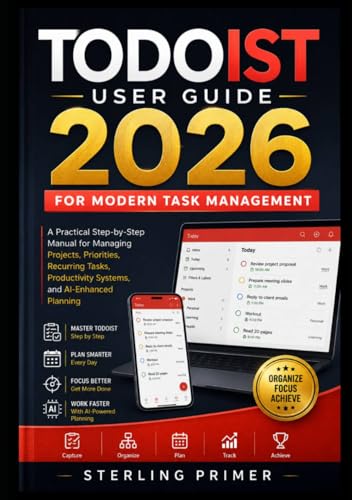
Todoist User Guide 2026 for Modern Task Management: A Practical Step-by-Step Manual for Managing Projects, Priorities, Recurring Tasks, Productivity Systems, and AI-Enhanced Planning
As an affiliate, we earn on qualifying purchases.
As an affiliate, we earn on qualifying purchases.
Frequently Asked Questions
How Do I Choose the Best Organizational App for My Needs?
To choose the best organizational app for your needs, start by considering feature customization options that let you tailor the app to your routines. Look for a user interface that feels intuitive and easy to navigate, so you stay motivated to use it regularly. Read reviews and try free versions to see how well the app fits your workflow. Ultimately, pick one that balances powerful features with simplicity in design.
Are These Apps Compatible Across Different Devices and Operating Systems?
Your apps are like a well-oiled machine, smoothly operating across devices. Many popular organizational apps offer cross-platform compatibility, ensuring seamless device synchronization regardless of whether you’re on iOS, Android, or Windows. To make sure, check the app’s specifications before downloading. This way, you’ll enjoy consistent updates, data sharing, and effortless access, making your organization process as smooth as a river flowing to the sea.
What Security Measures Protect My Data in These Apps?
You’re protected by security measures like data encryption, which keeps your information safe during transmission and storage. Additionally, you should review the app’s privacy policies to understand how your data is used and shared. Many apps also offer features like two-factor authentication and regular security updates. By staying aware of these measures, you guarantee your data remains private and secure while using these smart organizational tools.
Can These Tools Integrate With Existing Work Management Systems?
Imagine your work tools forming a seamless symphony; yes, these apps often integrate smoothly with your existing management systems. They boast high integration compatibility and cross-platform functionality, making it effortless to connect and sync data across devices. You can streamline workflows without missing a beat, ensuring all your tools work harmoniously. So, rest assured, adopting these smart tools enhances your productivity rather than complicates it.
How Often Should I Update or Review My Organizational Tools?
You should review and update your organizational tools regularly, ideally once a month, to guarantee they stay effective. Incorporate maintenance routines like checking for software updates or syncing issues. Adjust your updating frequency based on your workflow; if you notice glitches or new features, update sooner. Consistent reviews help prevent clutter, improve efficiency, and keep your tools aligned with your evolving needs. Staying proactive ensures your organization remains seamless and reliable.

Enhancing Productivity with Notion: Save time on projects by supercharging your productivity with Notion's powerful features and templates
As an affiliate, we earn on qualifying purchases.
As an affiliate, we earn on qualifying purchases.
Conclusion
Just like the guardians of the digital age, you hold the power to conquer chaos with these apps and smart tools. Embrace them, and you’ll stay as organized as a master strategist—ready to face any challenge. Remember, even Sherlock relied on clever tools to solve mysteries; you can do the same in your daily life. Stay sharp, stay connected, and let technology be your trusted ally on the path to success.

ZAPIER ENTERPRISE INTEGRATION MANUALS: ZAPIER AUTOMATION FRAMEWORKS: Scaling Business Apps Automation, Zapier Hooks Multi-Step, Database Syncing Tutorials—The Complete No-Code Playbook
As an affiliate, we earn on qualifying purchases.
As an affiliate, we earn on qualifying purchases.

BroadLink RM4 Mini IR Universal Remote Control (2.4 GHz Wi-Fi Only), Smart Home Automation Wi-Fi Infrared Blaster for TV, AC, STB Audio, Works with Alexa, Google Home, IFTTT
- Device Compatibility: Supports 50,000+ IR devices including TV, AC, and more
- Cloud Device Library: Continuously updated for new device support
- Custom Learning: Learn commands from original remote controls
As an affiliate, we earn on qualifying purchases.
As an affiliate, we earn on qualifying purchases.