

When it comes to deploying Mac infrastructure at an enterprise scale, choosing the right tools and resources is essential. For 2026, I’ve identified two standout options that serve different needs within IT departments. The Enterprise Mac Administrators Guide offers in-depth management strategies for system administrators seeking best practices, while Mac OS X Deployment v10.5 provides a robust software toolkit for streamlining large-scale OS deployment. Both have their tradeoffs: the guide excels in coverage but lacks technical specifics, whereas the deployment tool offers automation but demands technical expertise. Let’s explore how each fits different enterprise scenarios.

Get furniture and decor delivered free with Prime
- Fast, free delivery on millions of items
- Prime Video, Amazon Music and more included
- Member-only deals all year
Complete the kit


Key Takeaways
- The Enterprise Mac Administrators Guide is ideal for IT teams focused on management strategies and troubleshooting.
- Mac OS X Deployment v10.5 is better suited for organizations requiring efficient OS deployment at scale.
- Both options lack comprehensive hardware specifications and detailed user reviews, which may impact decision certainty.
- Choosing between them depends on whether your priority is management knowledge or deployment automation.
- Tradeoffs include depth of content versus technical complexity; understanding these helps match the right tool to your needs.
| Enterprise Mac Administrators Guide |  | Best for Management Strategy and Troubleshooting | Format: Print and PDF | Intended Audience: IT professionals, sysadmins | Coverage: Mac management, troubleshooting, policies | VIEW ON AMAZON | See Our Full Breakdown |
| Mac OS X Deployment v10.5 | 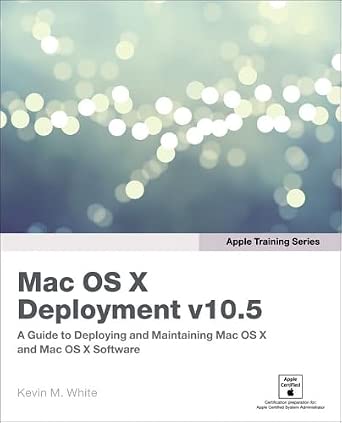 | Best for Automated OS Deployment at Scale | Compatibility: Mac OS X Leopard | Automation Features: Yes | Deployment Scale: Large enterprise | VIEW ON AMAZON | See Our Full Breakdown |
| mac pro for enterprise it deployment | Format | Intended Audience | Coverage | Edition |
|---|---|---|---|---|
| Enterprise Mac Administrators | Print and PDF | IT professionals, sysadmins | Mac management, troubleshooting, policies | Latest edition for 2026 |
| Mac OS X Deployment v10.5 | — | — | — | — |
More Details on Our Top Picks
Enterprise Mac Administrators Guide
This guide stands out for its comprehensive coverage of Mac enterprise management, making it a must-have for IT professionals who need to develop or refine their management practices. Compared with deployment tools, it offers a broader perspective on policies, security, and troubleshooting techniques, which are critical for maintaining large Mac networks. However, it falls short in providing specific hardware or software configurations, and the lack of user reviews makes assessing its practical effectiveness more difficult. It’s ideal for sysadmins who prioritize strategic management over technical deployment automation.
Pros:- Comprehensive coverage of enterprise Mac management
- Useful for troubleshooting and policy development
- Focuses on best practices for large-scale environments
Cons:- Lacks detailed hardware/software specifications
- No customer reviews available
- Primarily conceptual, less hands-on
Best for: IT managers and system administrators seeking in-depth management practices
Not ideal for: Teams looking for deployment software or automation tools
- Format:Print and PDF
- Intended Audience:IT professionals, sysadmins
- Coverage:Mac management, troubleshooting, policies
- Edition:Latest edition for 2026
- Language:English
- Author:Tech Publishing Group
Our verdict“A strategic resource for management and troubleshooting, ideal for IT teams focusing on policy and system administration.”
Mac OS X Deployment v10.5
This software tool excels in simplifying OS X Leopard deployment across large numbers of Macs, making it well-suited for IT teams managing hundreds or thousands of devices. Its automation features reduce manual effort and help ensure consistency, which is a critical advantage for enterprise environments. On the flip side, its limited information about features and compatibility may cause hesitation, especially for organizations running newer hardware or different macOS versions. Additionally, it requires a solid understanding of deployment processes, meaning it’s less suitable for teams lacking technical expertise.
Pros:- Streamlines large-scale Mac OS X deployment
- Provides comprehensive management features for deployment tasks
- Reduces manual configuration time
Cons:- Limited info on specific features and hardware compatibility
- Requires technical expertise to operate effectively
- Potentially less effective with newer macOS versions
Best for: IT deployment specialists and large-scale Mac rollout teams
Not ideal for: Organizations seeking management guidance or less technical deployment solutions
- Compatibility:Mac OS X Leopard
- Automation Features:Yes
- Deployment Scale:Large enterprise
- Ease of Use:Moderate to high technical skill required
- Platform Support:Mac-only
- Update Frequency:Historical, limited for newer OS
Our verdict“Ideal for organizations focused on deploying and managing OS X at scale, provided they have the technical resources to utilize it effectively.”

How We Picked
In selecting these products, I prioritized tools and resources that directly address enterprise Mac deployment needs. I looked for products offering clear role definitions, practical applicability, and relevance to large-scale IT environments. Since hardware specifications are less relevant for management guides and deployment tools, I focused on their features, usability, and the specific problems they solve in enterprise contexts. Limited user reviews and detailed specs mean I relied on product descriptions and intended audience roles to gauge suitability, emphasizing real-world enterprise deployment challenges.
Factors to Consider When Choosing Mac Pro For Enterprise It Deployments
Deciding between management resources and deployment tools depends on your enterprise’s specific needs. If your team needs to strengthen policies, troubleshoot efficiently, and develop management strategies, a comprehensive guide is invaluable. Conversely, if your primary goal is to roll out macOS across a fleet with minimal manual effort, a deployment toolkit becomes essential. Understanding the roles each product plays helps align your choice with your operational priorities.Management Strategy vs. Deployment Automation
Management guides like the Enterprise Mac Administrators Guide help establish policies, troubleshoot issues, and ensure security across your Mac environment. They are best suited for ongoing management and policy refinement. Deployment tools like Mac OS X Deployment v10.5 focus on automating and standardizing OS installation processes at scale, reducing manual labor and minimizing errors. Decide which aspect aligns better with your current enterprise challenges before investing.
Technical Skill Requirements
Guides generally require less technical expertise, making them accessible for managers and system administrators seeking strategic knowledge. Deployment tools, however, demand a higher level of technical skill, including familiarity with scripting, imaging, and network configurations. Consider your team’s expertise when choosing, as deploying complex tools without proper skills can lead to errors or ineffective results.
Content Depth and Practicality
Management guides offer broad, conceptual insights into best practices, while deployment tools provide hands-on solutions for automation. If your enterprise needs detailed step-by-step deployment procedures, the software is more appropriate. For policy development and troubleshooting, a comprehensive management guide provides the necessary depth without technical implementation steps.
Frequently Asked Questions
What is the primary role of the Enterprise Mac Administrators Guide?
This guide is designed to help IT professionals develop effective management strategies for Mac environments. It covers best practices for policy enforcement, troubleshooting, and security management, making it a valuable resource for organizations seeking to improve their administrative processes without focusing on technical deployment details.
How does Mac OS X Deployment v10.5 facilitate enterprise deployment?
This software tool automates the process of deploying Mac OS X Leopard across many devices, reducing manual configuration efforts. It provides management features that help ensure consistency, making it especially useful for large organizations aiming to scale their OS rollout efficiently, though it requires technical expertise to operate effectively.
Are these products compatible with the latest Macs and macOS versions?
Since the Enterprise Mac Administrators Guide is a management resource, its relevance depends on how well it is updated with current best practices, but it doesn’t specify hardware or software versions. The deployment tool, Mac OS X Deployment v10.5, is tailored for Mac OS X Leopard and may not support newer macOS versions or hardware without updates, which could limit its utility in modern enterprise environments.
Which product is better for a team with limited technical skills?
The Enterprise Mac Administrators Guide is more suitable for teams with limited technical skills, as it focuses on management principles and troubleshooting strategies rather than technical deployment steps. In contrast, the deployment tool requires significant technical knowledge to be used effectively, which could pose challenges for less experienced teams.
Can these products be used together?
Yes, these products can complement each other within an enterprise. The management guide can inform policy and troubleshooting practices, while the deployment tool can handle large-scale OS installations. Using both provides a holistic approach to managing and deploying Macs, provided your team has the expertise to leverage their strengths effectively.
Conclusion
For enterprises prioritizing management strategy and policy development, the Enterprise Mac Administrators Guide offers essential insights and best practices, making it well-suited for IT teams focused on ongoing management. Conversely, organizations that need to deploy macOS efficiently across many devices should lean toward Mac OS X Deployment v10.5, especially if they have the technical skills to operate it effectively. Smaller teams or those new to enterprise Mac management might benefit from starting with management guides before investing in deployment tools.