
If you’re looking to organize your home or office in 2025, I recommend exploring the top label makers like the NIIMBOT B21, B1, Nelko, SUPVAN E10, and Dymo models. These devices are portable, easy to use, and feature customizable options for labels, barcodes, and icons. Whether you prefer thermal printing or app control, there’s a perfect fit for your needs. Keep going to discover which models stand out and suit your style.
Key Takeaways
- Prioritize models with Bluetooth connectivity for easy remote labeling from smartphones and tablets.
- Choose devices supporting durable, waterproof, and tear-resistant labels for long-lasting organization.
- Look for customizable options including fonts, icons, templates, and multiple label sizes to suit various needs.
- Opt for portable, lightweight label makers with rechargeable batteries for convenience at home or on-the-go.
- Consider compatibility with existing devices and user-friendly apps for seamless setup and editing in 2025.
NIIMBOT B21 Label Maker, Thermal Label Printer (White)
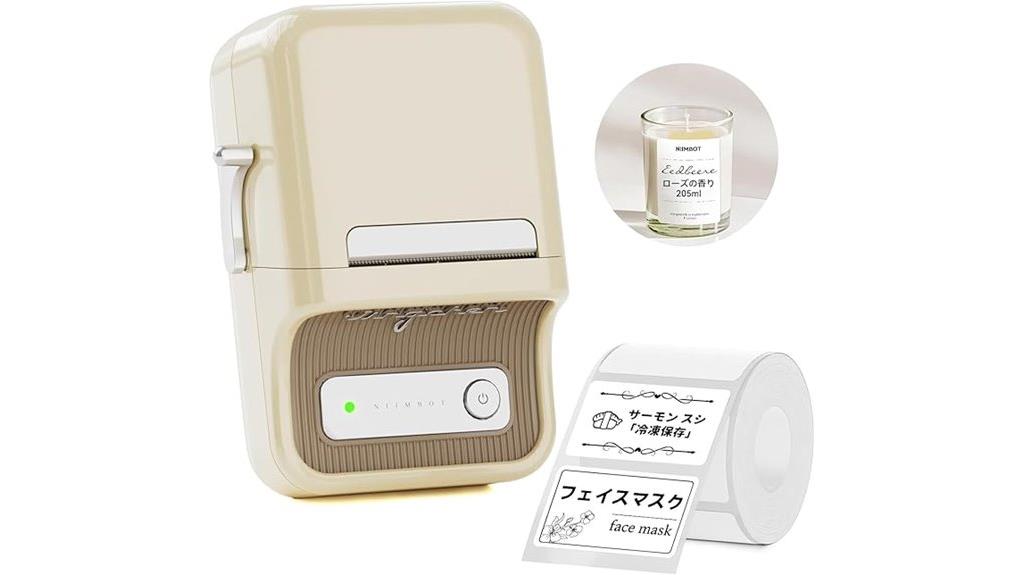
If you’re looking for a reliable and portable label maker that’s perfect for home or small business organization, the NIIMBOT B21 thermal label printer is an excellent choice. It’s compact, lightweight, and connects wirelessly via Bluetooth to your smartphone, making setup effortless. With its inkless thermal printing technology, you get waterproof, tear-resistant labels in seconds. It supports various label sizes from 0.8 to 2 inches and offers customizable options like fonts, icons, and QR codes. The device’s long battery life and quick printing speed of 2.4 labels per second make organizing tasks faster and more efficient.
Best For: individuals and small businesses seeking a portable, easy-to-use thermal label maker for organizing, labeling, and gifting at home or in the office.
Pros:
- Wireless Bluetooth connectivity with easy smartphone integration via the NIIMBOT app.
- Inkless thermal printing produces waterproof, tear-resistant, and durable labels quickly.
- Supports a wide range of label sizes and customizable options including fonts, icons, and QR codes.
Cons:
- Not compatible with iPads or tablets; requires a smartphone for operation.
- Limited to label widths from 0.8 to 2 inches, which may not suit all labeling needs.
- Does not support shipping labels or larger formats beyond the specified sizes.
NIIMBOT B1 Label Maker with Tape, Thermal Printer
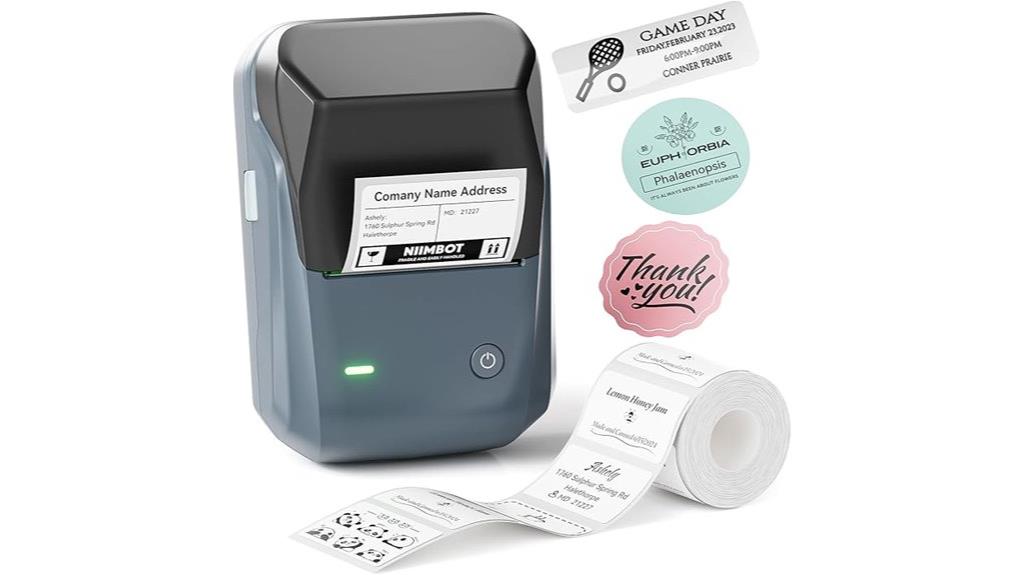
The NIIMBOT B1 Label Maker stands out for its compact, durable design and thermal printing technology, making it an ideal choice for anyone who needs professional-looking labels on the go. Weighing just 8 ounces, it’s made of high-quality ABS and comes with two rolls of white labels, each holding 230 labels. Its sleek, single-button operation is simple, and it supports labels up to 2 inches wide. The device is portable, with a rechargeable battery and USB-C charging. It connects via Bluetooth to smartphones for easy customization using the NIIMBOT app, which offers templates, fonts, symbols, and more—perfect for quick, crisp labels anywhere.
Best For: individuals and small businesses seeking a portable, easy-to-use label maker for organizing and professional labeling on the go.
Pros:
- Compact, lightweight, and durable design makes it highly portable.
- Thermal printing technology eliminates the need for ink, reducing mess and ongoing costs.
- Compatible with smartphones via Bluetooth and offers customizable templates, fonts, and symbols through the NIIMBOT app.
Cons:
- Not compatible with tablets such as iPads, limiting device options for some users.
- Some users experience connectivity issues or limited icon selections without paid app upgrades.
- Maximum label width of 2 inches may be restrictive for larger labeling needs.
Nelko Bluetooth Label Maker with Tape
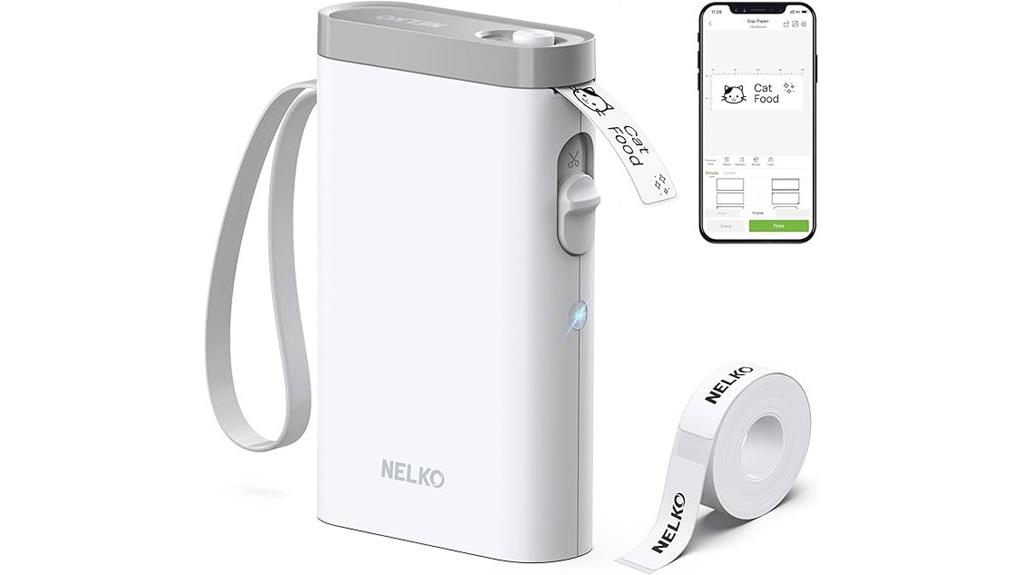
Looking for a compact, versatile label maker that easily connects to your smartphone? The Nelko Bluetooth Label Maker with Tape is perfect for that. It’s lightweight, roughly 6.65 x 4.5 x 1.9 inches, and weighs just under 10 ounces, making it highly portable. It features a sleek white design, a built-in rechargeable battery, and a USB-C port for charging. Using Bluetooth, it pairs effortlessly with iOS and Android devices via the Nelko app, offering extensive customization with over 90 fonts, templates, and options like QR codes and images. Ideal for indoor labeling at home, school, or office, it’s praised for its speed, quality, and ease of use.
Best For: users seeking a portable, easy-to-use label maker compatible with smartphones for organizing home, school, or office items.
Pros:
- Compact, lightweight design makes it highly portable and convenient for on-the-go use
- Extensive customization options via the Nelko app, including fonts, templates, QR codes, and images
- Easy Bluetooth connection with iOS and Android devices, along with quick setup and high print quality
Cons:
- Not compatible with computers or Google phones on Android 14
- Limited media size support and no heavy-duty tape options for industrial use
- Does not include a charging adapter, and tape costs can add up over time
SUPVAN E10 Bluetooth Label Maker with 3 Tapes
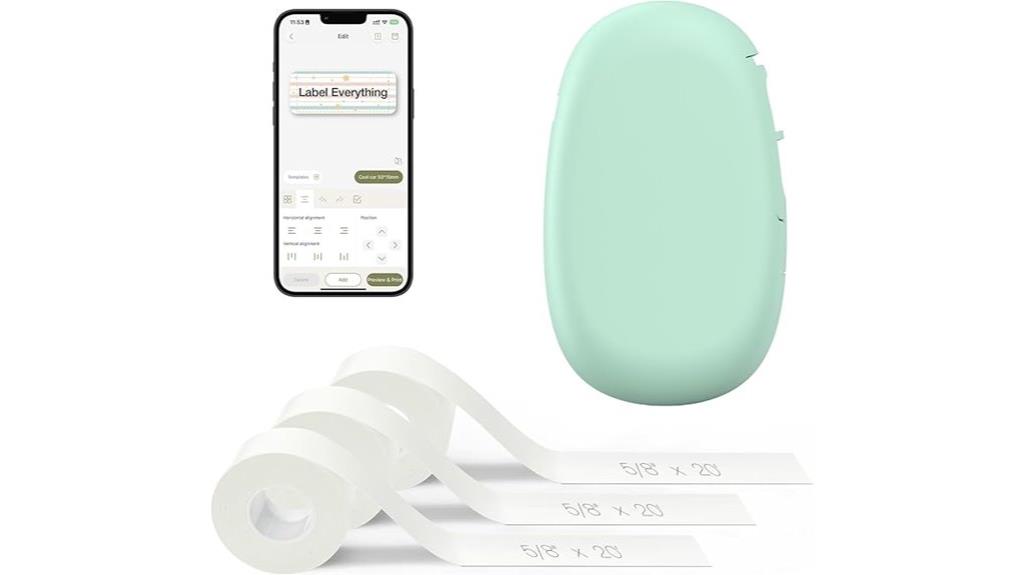
For anyone seeking a compact and versatile labeling solution, the SUPVAN E10 Bluetooth Label Maker with 3 tapes stands out as an excellent choice. This portable device is perfect for home, office, or school organization. It includes three tapes: waterproof, transparent, and fixed-size labels, all producing sharp, durable prints resistant to water, oil, scratches, and heat. No ink or toner is needed, saving costs. With Bluetooth connectivity via an easy-to-use app, it supports customization with 35 fonts, icons, and templates. The rechargeable battery lasts a month on a single charge, making it convenient for on-the-go labeling tasks.
Best For: anyone seeking a portable, customizable, and inkless labeling solution for home, office, or school organization.
Pros:
- Compact, lightweight design easily fits in a purse or toolbox for on-the-go use.
- Waterproof, oil-proof, and heat-resistant labels ensure durability across various surfaces.
- Extensive app customization with 35 fonts, 1,000+ icons, and multiple templates enhances versatility.
Cons:
- App navigation can be clunky, potentially requiring a learning curve for some users.
- Adhesion issues may occur on uneven or water-exposed surfaces.
- Some users notice fading of labels after a couple of months on high-traffic items.
DYMO Label Maker Machine with Tape (100H LetraTag Handheld)
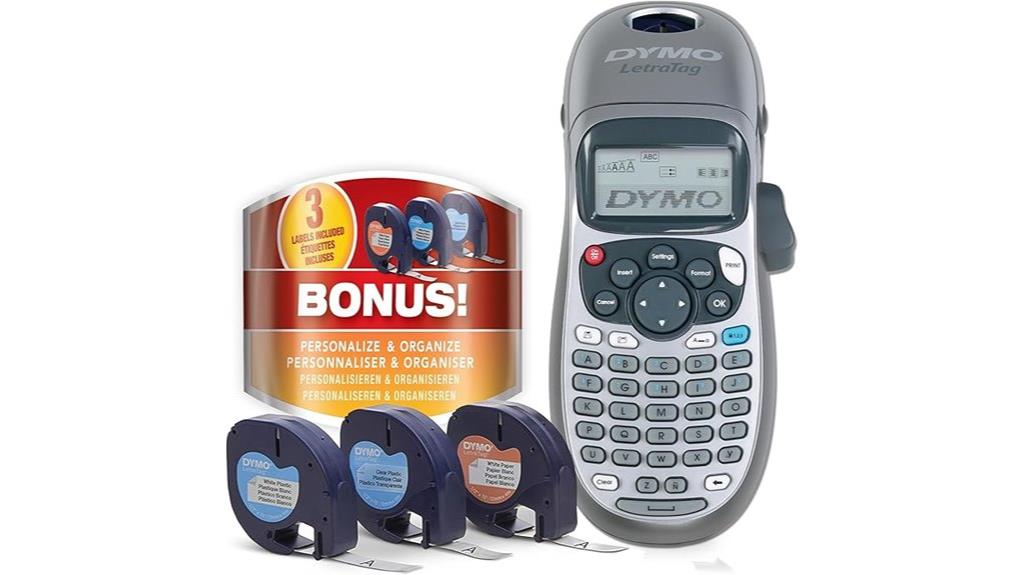
If you’re searching for a portable and easy-to-use label maker that simplifies organizing your home or office, the DYMO LetraTag 100H Handheld is an excellent choice. It’s compact, lightweight, and designed for quick, efficient labeling on various surfaces. With five font sizes, seven print styles, and eight box options, you can customize labels to fit your style. The graphical display previews your text before printing, ensuring accuracy. Powered by 4 AA batteries with auto-off for energy saving, it’s durable and straightforward to operate. Plus, it comes with three bonus tapes, making it versatile for all your labeling needs.
Best For: individuals and professionals seeking a portable, easy-to-use label maker for organizing home, office, or workspace efficiently.
Pros:
- Highly customizable with multiple font sizes, styles, and box options for personalized labels
- Compact and lightweight design for easy handling and portability
- Comes with three bonus tapes and supports versatile media sizes up to 0.5 inches
Cons:
- Lacks a USB port for digital connectivity and advanced editing options
- No erase function for removing or modifying existing labels
- Requires replacement of 4 AA batteries when print quality declines
Brother P-Touch PTM95 Label Maker with QWERTY Keyboard

The Brother P-Touch PTM95 Label Maker stands out as an ideal choice for users who need quick, customizable labels without a steep learning curve. Its portable, handheld design features a QWERTY keyboard and easy-view LCD display, making text input straightforward. With support for nine style types, eight decorative patterns, and two tape widths, it’s versatile enough for home, office, or school labeling. The device produces durable, high-resolution labels at a fast pace, with automatic power-off for convenience. Plus, its compatibility with Brother’s M-series tapes and simple operation make it a reliable, user-friendly tool for all your organizing needs.
Best For: users seeking a portable, easy-to-use label maker for quick, customizable, and durable labels at home, school, or in the office.
Pros:
- User-friendly QWERTY keyboard and LCD display for easy operation
- Supports multiple styles, decorative patterns, and tape widths for versatile labeling
- Compact, lightweight design with automatic power-off for portability and convenience
Cons:
- Uses non-rechargeable batteries, which may require frequent replacement
- Limited to non-laminated thermal printing, affecting tape durability in harsh environments
- Some users report tape waste on cut labels and limited customization options for advanced users
Phomemo D30 Label Maker Machine, Portable Bluetooth Mini Label Printer

The Phomemo D30 Label Maker stands out as an ideal choice for anyone seeking a portable and cost-effective labeling solution. Its lightweight, pocket-sized design makes it easy to carry everywhere, perfect for on-the-go labeling. Thanks to German thermal print head technology, it produces clear, smooth prints quickly without ink, toner, or ribbons—saving money over time. With Bluetooth connectivity, I can print directly from my smartphone using a variety of customizable options like symbols, icons, and barcodes. The rechargeable battery keeps it handy without needing external power. Whether organizing home, office, or school supplies, the D30 offers versatility and convenience in a compact package.
Best For: users looking for a portable, cost-effective, and customizable label maker for home, school, or office organization.
Pros:
- Compact and lightweight design for easy portability and on-the-go use
- Inkless thermal printing technology that eliminates the need for ink, toner, or ribbons, reducing ongoing costs
- Extensive customization options including symbols, icons, barcodes, QR codes, and more via the app
Cons:
- Produces only black text, limiting color options despite supporting colorful thermal tapes
- Limited to label printing and does not offer other multifunctional features
- Requires Bluetooth connection and a compatible smartphone to operate, which may not be ideal for all users
150 Pcs Storage Bin Labels, Removable & Tear-Resistant
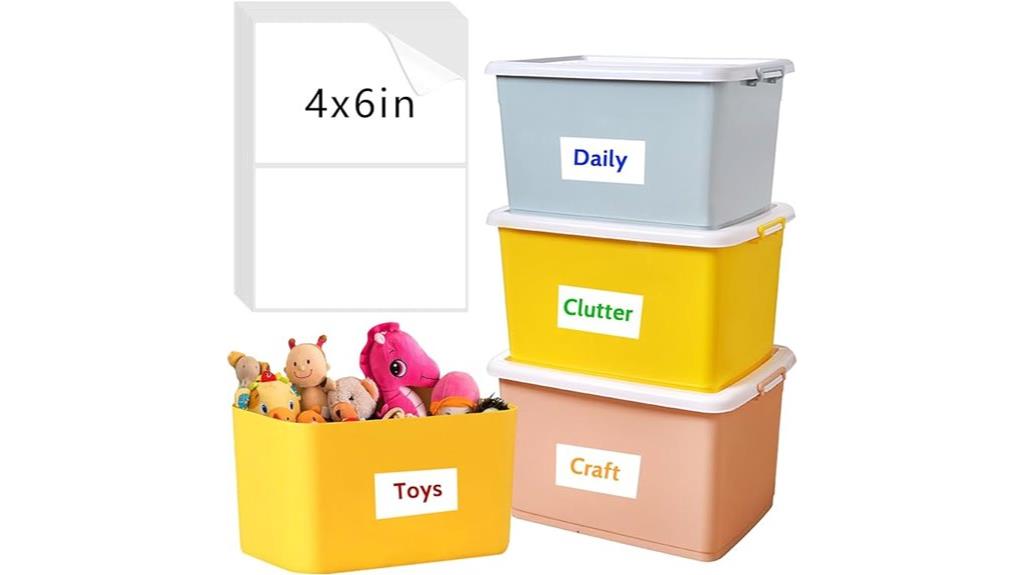
For anyone seeking reliable and versatile storage labels, the 150 Pcs Storage Bin Labels stand out with their removable and tear-resistant design. Made from synthetic paper with strong adhesive, these 6 x 4-inch labels are perfect for labeling bins, boxes, and containers in home, office, or school settings. They resist tearing, water, and oil, ensuring durability during use. Easily removable without leaving residue, they won’t damage surfaces when peeled off. Their blank surface makes them ideal for custom writing with pens or markers. With high praise from users, these labels offer a practical, cost-effective solution for organizing large quantities of items efficiently.
Best For: individuals and organizations looking for durable, customizable labels to organize storage containers, bins, and boxes efficiently across home, office, or school environments.
Pros:
- Removable and tear-resistant, ensuring long-lasting durability and easy removal without residue
- Large size (6 x 4 inches) provides ample space for clear, custom writing
- Strong adhesive adheres well to smooth surfaces like glass and metal, suitable for various storage needs
Cons:
- May be difficult to peel from the backing for some users, especially if not handled carefully
- Not recommended for rough or textured surfaces, limiting versatility in certain applications
- Cutting to smaller sizes may reduce overall label strength or adhesion if not done precisely
Brother P-Touch PTD220 Label Maker for Home/Office
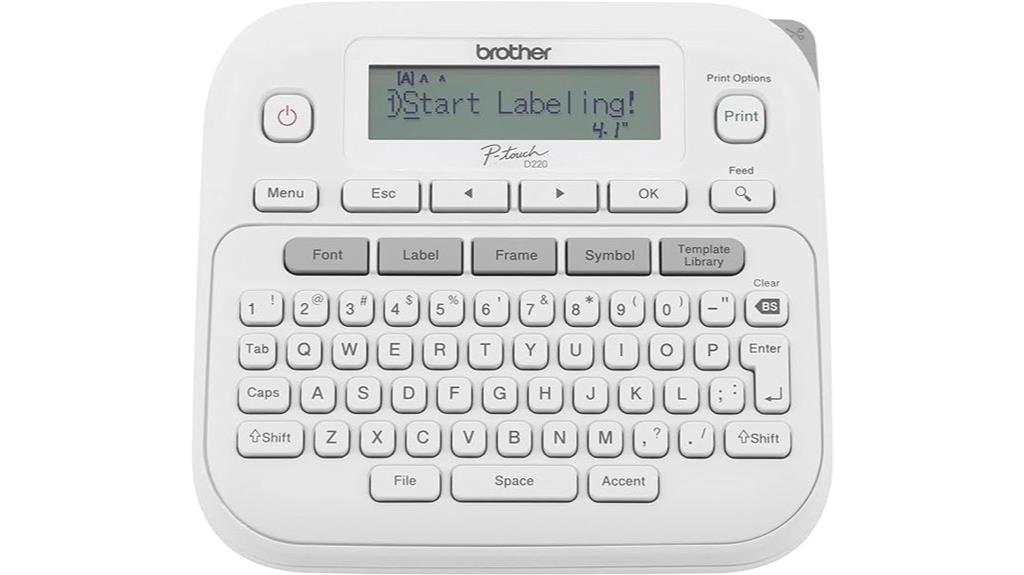
If you’re looking for a versatile and easy-to-use label maker that helps keep your home or small office organized, the Brother P-Touch PTD220 is an excellent choice. It prints on durable, laminated tapes up to 1/2 inch wide, ideal for labeling files, containers, electronics, and personal items. The device features a QWERTY keyboard, one-touch formatting keys, and a 15-character LCD preview. You can save up to 30 labels for quick reprinting and customize with 14 fonts, 11 styles, and over 600 symbols. Powered by batteries or an optional AC adapter, it’s portable, reliable, and perfect for clutter-free spaces.
Best For: individuals and small offices seeking an easy-to-use, customizable, and portable label maker for organizing personal and workspaces.
Pros:
- Simple and intuitive interface with QWERTY keyboard and one-touch formatting keys
- Supports a wide variety of fonts, styles, symbols, and label finishes for personalized labeling
- Compact, lightweight design with long-lasting battery operation for portability and convenience
Cons:
- LCD screen contrast issues may affect visibility in certain lighting conditions
- Does not come with a power cord; relies on batteries or optional AC adapter for power
- Limited to print-only functions without additional digital editing capabilities
DYMO Embossing Label Maker with Tapes Organizer

A lightweight and user-friendly option, the DYMO Embossing Label Maker with Tapes Organizer is ideal for anyone looking to add a vintage touch to their organization projects. Its ergonomic, turn-and-click system makes labeling simple, even for beginners. The kit includes the label maker and multiple cartridges in black and red, compatible with authentic DYMO tapes for best results. Although some users report durability issues and occasional misalignment, the device’s fun colors and customizable text make it a popular choice for crafts and personal organization. Overall, it’s a charming, nostalgic tool, perfect for creative projects and adding a unique vintage flair to your home or office.
Best For: hobbyists, crafters, and home organizers seeking a vintage-style embossing label maker for creative and organizational projects.
Pros:
- Easy to use with an ergonomic turn-and-click system suitable for beginners
- Includes multiple label cartridges in attractive colors, enhancing customization options
- Lightweight and portable, making it convenient for various DIY projects
Cons:
- Durability issues with plastic parts, such as the hammer and embossing plates, which can deform or break
- Occasional misalignment or improper embossing due to wheel positioning or debris
- Limited tape supply and support, with some users experiencing product failure after short-term use
Phomemo D30 Label Maker, Bluetooth Thermal Printer for Classroom and Home

The Phomemo D30 Label Maker stands out as an ideal tool for anyone seeking quick, reliable, and portable labeling solutions, especially in classroom or home settings. Its compact design and Bluetooth connectivity make it easy to create custom labels wirelessly from your mobile device. The device uses thermal technology, so no ink or ribbons are needed, reducing ongoing costs. With a German thermal print head, it offers 25% better print quality, producing crisp, clear labels quickly. It supports a variety of templates, symbols, and fonts, with label sizes from 0.24 to 0.47 inches, perfect for organizing everything from cables to food jars.
Best For: users seeking a portable, cost-effective, and easy-to-use label maker for home, classroom, or small business organization.
Pros:
- Compact and lightweight design for portability and convenience
- Wireless Bluetooth connection for quick, on-the-go labeling from mobile devices
- Uses thermal printing technology, eliminating ink and ribbon costs
Cons:
- Outputs only monochrome (black text) labels despite colorful tape options
- Limited label size range (0.24 to 0.47 inches) may not suit all needs
- Requires compatible thermal tapes, which may add to ongoing expenses
SUPVAN E10 Bluetooth Label Maker with Tape

The SUPVAN E10 Bluetooth Label Maker is ideal for those seeking a versatile, easy-to-use device that can handle a variety of organizing tasks. I love how it connects seamlessly via Bluetooth to my phone, making customization simple with over 40 fonts, 30 frames, and 450+ icons. Its waterproof, oil-proof, and scratch-resistant labels are perfect for kitchen, bathroom, or outdoor use. The device is compact and lightweight, so I can carry it anywhere. The thermal printing means no ink or toner, and the built-in cutter makes label trimming effortless. Overall, it’s reliable, convenient, and perfect for personal, professional, or travel organization.
Best For: individuals and professionals seeking a portable, customizable, and durable label maker for home, office, or outdoor organization.
Pros:
- Seamless Bluetooth connectivity with extensive customization options (fonts, frames, icons)
- Waterproof, oil-proof, scratch-resistant labels suitable for various environments
- Compact, lightweight design with easy thermal printing and built-in cutter for convenience
Cons:
- Not heatproof, limiting use in high-temperature settings
- Some users experience minor app navigation issues
- Refills may be slightly pricey, especially for continuous tape rolls
ORGBRO Portable Bluetooth Label Maker with Tape

If you’re looking for a portable label maker that combines convenience with versatility, the ORGBRO X1 Bluetooth Label Maker is an excellent choice. Weighing just 7 ounces, it’s compact enough to use with one hand and connects easily via Bluetooth to your iOS or Android device through a user-friendly app. You can customize labels with over 15 languages, 95 fonts, and 550 materials, including graphics and barcodes. It uses thermal printing for crisp, waterproof, and durable labels, perfect for organizing everything from cables to kitchen jars. The rechargeable battery lasts long, and the device supports both pre-cut and continuous labels, making it a versatile tool for any space.
Best For: individuals and professionals seeking a portable, easy-to-use Bluetooth label maker for organizing home, office, school supplies, and personal belongings with customizable, durable labels.
Pros:
- Compact, lightweight design weighing only 7 ounces for easy one-handed operation and portability
- Wide customization options with 15+ languages, 95 fonts, 550 materials, and support for graphics, logos, barcodes, and QR codes
- High-quality thermal printing producing waterproof, oil-resistant, and abrasion-resistant labels without ink or toner
Cons:
- Short included label roll may require additional purchases for extended use
- Occasional issues with label alignment reported by some users
- Support for only labels up to 0.6 x 1.57 inches, limiting larger label creation
NIIMBOT Bluetooth Label Maker Printer (D110 Upgraded Version)
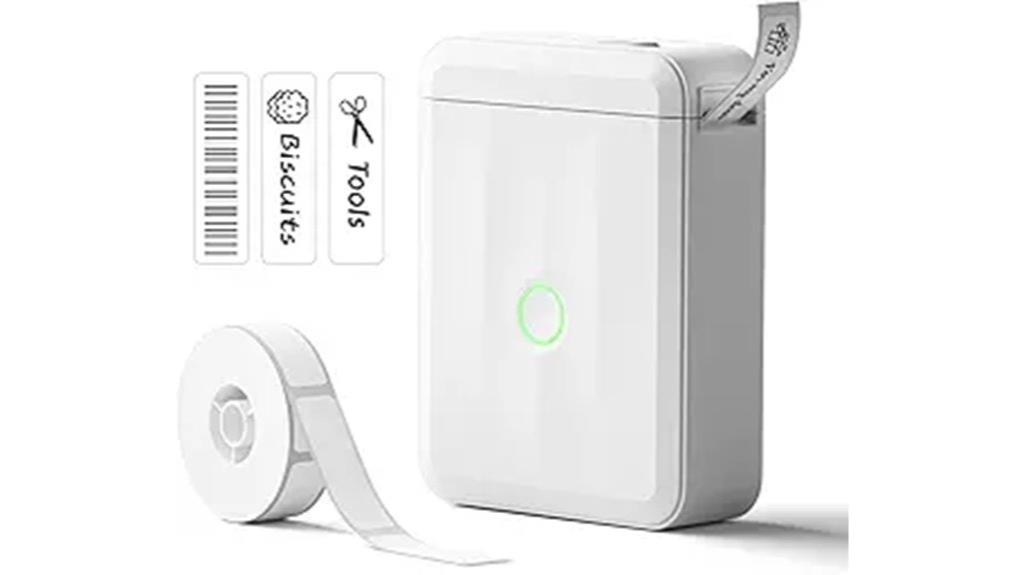
For anyone seeking a portable and easy-to-use label maker, the NIIMBOT D110 upgraded version stands out with its compact design and wireless Bluetooth connectivity. Measuring just 0.8 x 2.7 x 3.9 inches and weighing only 10.9 ounces, it’s perfect for quick labeling around home, school, or office. It connects seamlessly to smartphones via Bluetooth, supporting both iOS and Android, and offers high-quality 203 DPI thermal printing without ink. The rechargeable lithium-ion battery lasts long, charges in just two hours, and makes it easy to print waterproof, oil-proof labels in various styles and sizes. It’s a practical, versatile tool for organizing any space.
Best For: individuals and professionals who need a portable, easy-to-use label maker for quick organization at home, school, or office.
Pros:
- Compact, lightweight design makes it highly portable and easy to store.
- Wireless Bluetooth connectivity supports quick pairing with smartphones for effortless operation.
- High-quality 203 DPI thermal printing produces clear, waterproof, and oil-proof labels without ink or toner.
Cons:
- Limited to monochrome printing, which may not suit colorful labeling needs.
- Complex fonts may result in pixelation, affecting print clarity for detailed designs.
- Compatible only with smartphones (iOS & Android), not usable directly with computers.
Label Maker Machine with Tape, Wireless Thermal Printer for Home and Office

A compact, wireless thermal printer like this Label Maker Machine with Tape is perfect for busy professionals, teachers, and small business owners who need quick, on-the-go labeling. Weighing just 5.1 ounces and measuring around 3 x 1.2 x 4.17 inches, it’s highly portable. It connects via Bluetooth or USB Type-C to smartphones, supporting iOS and Android devices. Using advanced thermal printing technology, it produces crisp, clear labels without ink. The device supports customizable designs with over 60 fonts, 12+ languages, and various templates. Battery life is impressive, allowing extended use. It’s ideal for labeling files, jars, or organizing items, whether at home, in the office, or in the field.
Best For: busy professionals, teachers, and small business owners who need portable, quick, and customizable labeling solutions.
Pros:
- Compact and lightweight design for easy portability on-the-go
- High-resolution thermal printing with no ink required for crisp labels
- Supports extensive customization with multiple fonts, templates, and symbols
Cons:
- Labels may fade or wash off in harsh weather or heat conditions
- Limited preset templates and size options for more specialized labeling needs
- Higher cost of replacement tapes compared to traditional label printers
Factors to Consider When Choosing Label Makers for Organizing

When choosing a label maker, I consider how well it integrates with my devices and the types of labels it can produce. I also look at its printing technology, battery life, and portability to match my needs. finally, I check for customization options to make sure I can create the perfect labels for organizing.
Compatibility With Devices
Choosing a label maker that seamlessly works with your devices requires careful attention to compatibility. First, check if it supports your device’s operating system—whether iOS, Android, Windows, or macOS. Connectivity options matter too; verify it connects via Bluetooth, Wi-Fi, USB, or app protocols your devices use. Also, confirm if the device needs a dedicated app and if that app is compatible with your platform to unlock full features. Hardware support is essential—make sure it works with your tablets, smartphones, or computers without issues. If you share the label maker, consider whether it supports multiple user profiles or accounts for smooth multi-user operation. Addressing these factors helps you avoid connectivity problems and guarantees the device integrates well into your existing tech setup.
Label Size Options
Have you considered how important it is for your label maker to support different label sizes? Choosing the right size ensures your labels fit perfectly on containers, files, or shelves. Many models support widths from 0.8 inches up to 2 inches, giving you flexibility for various needs. Adjustable length settings allow you to create continuous or fixed-size labels, customizing labels for specific storage spaces. Some label makers offer multiple size options or interchangeable tapes, expanding your labeling possibilities. It’s also essential to check if the supported label sizes are compatible with your storage items to avoid mismatched labels. Look for features like preset templates or auto-detection, which help automatically adapt the label size for a cleaner, professional look. This ensures your organization is both functional and visually appealing.
Printing Technology Used
The printing technology in your label maker directly affects the quality, durability, and overall performance of your labels. Thermal printing, including direct thermal and thermal transfer, is popular because it eliminates the need for ink or toner, reducing mess and ongoing costs. Direct thermal printers use heat-sensitive paper, which is simple but may fade over time, making them ideal for short-term labeling. Thermal transfer printers use a heated ribbon to transfer ink onto standard labels, producing more durable, heat-resistant labels suitable for harsher environments. The resolution, typically 203 DPI or higher, ensures clear, legible text. Additionally, printing speed influences how quickly you can produce large batches. Choosing a technology that balances quality, durability, and speed is key for effective organization.
Battery Life and Portability
Ever wondered how to keep your label maker ready for any task, no matter where you are? Battery life and portability are key factors. A long-lasting battery means you can work for extended periods without frequent recharges, perfect for on-the-go labeling. Look for devices with rechargeable batteries of at least 2000mAh—that supports hours of continuous use. Lightweight designs (under 10 ounces) make handling and carrying effortless, especially for quick tasks in different environments. Compact sizes (less than 5 inches in any dimension) let you slip the label maker into bags or pockets easily. Plus, a quick charge time of 1-2 hours ensures minimal downtime. Prioritizing these features guarantees your label maker stays ready, portable, and efficient whenever inspiration strikes.
Customization Features
When selecting a label maker, customization features can make a big difference in how effectively you stay organized. I look for devices that offer a variety of fonts, symbols, borders, and templates, so I can tailor labels for different needs. Adding images, QR codes, barcodes, or logos boosts both functionality and visual appeal. An intuitive app or interface with easy editing tools—like text alignment, size adjustments, and preview options—ensures precise customization. I also prioritize models that support multiple label styles, including different colors, sizes, and finishes, to match various surfaces and purposes. Additionally, customizable templates or saved settings make reprinting frequently used labels quick and effortless. These features help me create clear, professional-looking labels suited to any organizational task.
Durability of Labels
Choosing durable labels is essential for guaranteeing your organization lasts over time, especially in environments subject to wear and exposure. I look for labels made from waterproof, tear-resistant, and abrasion-resistant materials that can handle daily handling and environmental factors. Thermal printing technology is a game-changer because it produces smudge-proof, fade-resistant labels without ink or toner, increasing longevity. For outdoor or heavy-duty use, I opt for labels with laminated or BPA-free surfaces that resist heat, moisture, and chemicals. The adhesive quality is critical too; strong, permanent adhesives ensure labels stay put on uneven or textured surfaces. Additionally, the thickness and material composition determine resistance to tearing, water, oil, and UV rays, making sure my labels withstand the test of time and keep my organization looking neat and professional.
Cost of Supplies
Considering the cost of supplies is essential when selecting a label maker for organizing, as it directly impacts your long-term budget. Label tapes and rolls can range from as low as $5 for basic labels to over $20 for specialty or larger rolls. Thermal printers, which don’t need ink or toner, reduce ongoing costs, but replacement label media still adds up. Waterproof or color labels tend to be pricier than standard paper options, impacting overall expenses. Refillable or compatible tapes can save money, especially when bought in bulk, compared to proprietary cartridges. The frequency of use also matters; high-volume users should budget for frequent replacements. By understanding these factors, you can choose a label maker that balances initial cost with ongoing supply expenses, ensuring affordability over time.
Frequently Asked Questions
Can These Label Makers Print in Multiple Languages?
You’re wondering if these label makers can print in multiple languages. I’ve found that many modern models do support multiple languages, making them versatile for diverse households or workplaces. They often include language options in their settings, allowing you to switch easily. I recommend checking the specifications before buying to verify the model you choose offers the multilingual capability you need, so your labels are clear and useful everywhere.
Are Rechargeable Batteries Available for These Label Printers?
Ever wondered if rechargeable batteries are an option for label printers? I’ve found that many models now support rechargeable batteries, making them more convenient and eco-friendly. This means you can save money and reduce waste while keeping your labeling game strong. I recommend checking the specifications of each model, but most newer printers do offer rechargeable battery options. Isn’t it great to have a more sustainable choice?
Do They Support Custom Font and Size Options?
I’ve found that most modern label makers do support custom fonts and sizes, giving you plenty of flexibility for your organizing needs. I recommend checking the specifications before purchasing, as some models offer more font options than others. Personally, I love being able to personalize labels to match my style. It’s a simple feature, but it makes a big difference in making my labels look neat and professional.
How Durable Are the Printed Labels in Humid Environments?
When it comes to durability in humid environments, I find that waterproof and weatherproof labels are essential. They resist smudging, peeling, and fading when exposed to moisture. I personally prefer label makers with laminated or vinyl labels because they hold up well over time, even in high humidity. So, if you’re worried about moisture, look for those features to guarantee your labels stay intact and legible.
Can These Devices Connect to Multiple Devices Simultaneously?
Imagine a label maker so advanced, it could connect with a dozen devices at once—well, some do! Many modern label makers now boast Bluetooth or Wi-Fi, allowing seamless connection to multiple gadgets simultaneously. I’ve seen models where you can start a label on your phone, tweak it on your tablet, and print from your computer—all without missing a beat. It’s like having a mini printing empire at your fingertips!
Conclusion
Choosing the right label maker simplifies organization, enhances efficiency, and adds a touch of style to your space. Whether you prioritize portability, connectivity, or durability, the options on this list cover all those needs. By considering your specific goals, preferences, and budget, you can find a tool that transforms clutter into clarity, chaos into order, and chaos into order. Ultimately, the right label maker makes organization effortless, enjoyable, and even inspiring.