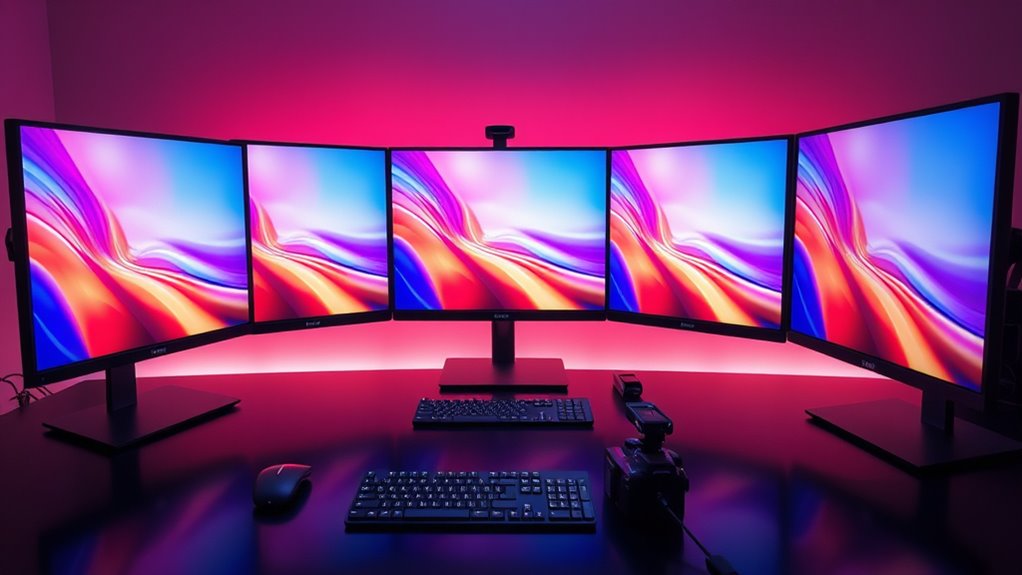
Choosing a coloraccurate display for photo editing is essential for ensuring your images look consistent across different devices and outputs. The best models offer precise color reproduction, wide color gamuts, and reliable calibration tools. The ASUS ProArt PA278CV stands out as the best overall because of its accurate color performance and affordability, while the ASUS ProArt PA32UCX-PK provides premium 4K HDR quality for professional workflows. Calibrite’s calibration tools excel at maintaining long-term color accuracy but require pairing with a good display. The main tradeoffs often involve balancing price, calibration ease, and color fidelity. Continue reading for a detailed breakdown of these options to find the best fit for your photo editing setup.

Get furniture and decor delivered free with Prime
- Fast, free delivery on millions of items
- Prime Video, Amazon Music and more included
- Member-only deals all year
Complete the kit


Key Takeaways
- Accurate color reproduction and wide gamuts are the most critical factors for professional-level photo editing.
- Calibration tools significantly improve long-term color consistency, especially for intensive workflows.
- Higher-end displays tend to have better uniformity and HDR support, but come at a premium price.
- Entry-level options like the ASUS ProArt PA278CV offer excellent value without sacrificing essential accuracy.
- Dedicated calibration tools, such as those from Calibrite and Datacolor, provide more precise control than built-in software.
| ASUS ProArt PA278CV 27 Inch 1440p QHD USB-C Professional Monitor |  | Best Overall for Color Accuracy and Versatility | Display Size: 27 inches | Resolution: 2560 x 1440 (QHD) | Panel Type: IPS | VIEW ON AMAZON | See Our Full Breakdown |
| Calibrite ColorChecker Digital SG Color Reference Target with Storage Sleeve, 140 Patch Chart for Camera Profiling, White Balance, and Color Analysis |  | Best for Accurate Camera Profiling and Color Consistency | Product Dimensions: 9 x 12 x 0.25 inches | Patch Count: 140 | Chart Size: 8 x 11.5 inches | VIEW ON AMAZON | See Our Full Breakdown |
| ASUS ProArt PA27JCV 27-Inch 5K USB-C Professional Monitor for Mac |  | Best for High-Resolution, Color-Accurate Workstation | Display Size: 27 inches | Resolution: 5120 x 2880 (5K) | Panel Type: IPS | VIEW ON AMAZON | See Our Full Breakdown |
| Datacolor Spyder Monitor Calibrator & Screen Color Calibration Tool |  | Best for Quick, User-Friendly Monitor Calibration | Compatibility: Windows and Mac | Display Types Supported: OLED, mini-LED, Apple Liquid Retina XDR | Calibration Time: Approximately 90 seconds | VIEW ON AMAZON | See Our Full Breakdown |
| ASUS ProArt Display PA32UCX-PK 32” 4K HDR PC Monitor |  | Best for HDR and High-Color-Range Professional Work | Size: 32 inches | Resolution: 4K UHD | Backlight: Mini-LED | VIEW ON AMAZON | See Our Full Breakdown |
| Datacolor SpyderPro Monitor Calibrator & Screen Color Calibration Tool |  | Best Overall for Versatile and Professional Calibration | Device Compatibility: Supports unlimited displays, USB-C connectivity | Supported Operating Systems: Windows 10/11, macOS 10.14 to 14 | Features: Gamma, whitepoint, brightness adjustments, projector calibration, display analysis | VIEW ON AMAZON | See Our Full Breakdown |
| Calibrite ColorChecker Display Pro (CCDIS3) |  | Best for Consistent Color Profiling with Repeatability | Display Aspect Ratio: 16:9 | Screen Finish: Matte | Display Type: LED | VIEW ON AMAZON | See Our Full Breakdown |
| Calibrite Display 123 Monitor Calibration Colorimeter for Photo Editing and Color Accurate Viewing |  | Best Compact Calibration for Photographers and Creators | Connection: USB C | Supports: 2 displays | Features: Before and after check, adjustable counterweight, brightness target | VIEW ON AMAZON | See Our Full Breakdown |
| Calibrite Display Pro HL Monitor Calibration Colorimeter for LCD, Mini LED, and OLED Displays |  | Best for High-Luminance and HDR Display Calibration | Measurement Range: up to 3000 nits | Display Compatibility: LCD, Mini LED, OLED, Apple XDR, projectors | Software: Calibrite PROFILER for Mac and Windows | VIEW ON AMAZON | See Our Full Breakdown |
| Calibrite ColorChecker Studio Spectrophotometer for Complete Color Management with ColorChecker Classic Mini |  | Best for All-in-One Color Profiling and Print Matching | Product Dimensions: 5 x 4 x 2 inches | Item Weight: 14.5 ounces | Includes: ColorChecker Mini, calibration software | VIEW ON AMAZON | See Our Full Breakdown |
| Calibrite Photo Kit with Display Pro HL Monitor Calibration Colorimeter and ColorChecker Passport Photo 2 |  | Best for Comprehensive Workflow Integration | VIEW ON AMAZON | See Our Full Breakdown |
More Details on Our Top Picks
ASUS ProArt PA278CV 27 Inch 1440p QHD USB-C Professional Monitor
The ASUS ProArt PA278CV stands out as a well-rounded choice for creative professionals who need precise color reproduction without the steep price of 4K models like the ProArt PA27JCV. Its 27-inch IPS panel covers 100% sRGB and Rec. 709, with factory calibration ensuring consistent results, making it ideal for photo editing workflows. Compared with the larger, higher-resolution ProArt PA32UCX-PK, this monitor offers excellent accuracy at a more accessible price point, though it sacrifices 4K detail and HDR capabilities. The USB-C port with 65W Power Delivery simplifies workspace setup, but hardware limitations mean full USB-C functionality depends on your system. The ergonomic stand and daisy-chaining support enhance usability, especially for multi-monitor setups. This pick makes sense for professionals seeking reliable color fidelity and flexible connectivity without the premium cost of high-end 4K displays.
Pros:- High color accuracy with 100% sRGB and Rec. 709 coverage
- Factory calibrated with Delta E < 2 for reliable color consistency
- USB-C with 65W Power Delivery simplifies connectivity and reduces cable clutter
- Ergonomic stand with tilt, swivel, pivot, and height adjustments
Cons:- Limited to 1440p resolution, not 4K, which may be a drawback for high-detail editing
- Premium price may be steep for casual or hobbyist users
- Requires compatible hardware to fully utilize USB-C features
Best for: Photographers and designers who need accurate colors, versatile connectivity, and ergonomic comfort at a mid-range price.
Not ideal for: Users requiring 4K resolution or HDR workflows, as the 1440p resolution may limit detailed editing and the monitor lacks advanced HDR support.
- Display Size:27 inches
- Resolution:2560 x 1440 (QHD)
- Panel Type:IPS
- Color Gamut:100% sRGB, 100% Rec. 709
- Calibration:Delta E < 2, Calman Verified
- Connectivity:USB-C, HDMI, DisplayPort
Our verdict“This monitor is ideal for professionals prioritizing color accuracy and flexibility without needing 4K resolution.”
Calibrite ColorChecker Digital SG Color Reference Target with Storage Sleeve, 140 Patch Chart for Camera Profiling, White Balance, and Color Analysis
The Calibrite ColorChecker Digital SG excels as a portable, high-precision color reference for photographers who need consistent skin tones, grayscales, and expanded color gamut coverage. Unlike monitor calibration tools, this chart provides a tangible reference for camera profiling, improving color accuracy from capture through editing. Compared to digital calibration tools like the Datacolor Spyder, it offers a physical standard that can be used in conjunction with software for more reliable color management. Its 140 patches, including skin tone and grayscale, make it a versatile choice for detailed color analysis, although its non-electronic nature means it doesn’t directly calibrate displays. The included protective sleeve enhances portability for on-location shoots. This chart is best suited for photographers seeking consistent color reference points for editing workflows, not for users primarily interested in monitor calibration.
Pros:- Provides expanded color and skin tone patches for precise profiling
- Includes grayscale for consistent white balance and tone mapping
- Compact, portable design with protective storage sleeve
- Enhances color accuracy from camera to post-processing
Cons:- Non-electronic, so it doesn’t calibrate monitors directly
- Requires separate calibration procedures for monitors
Best for: Photographers and videographers who need reliable physical color standards for camera profiling and consistent color rendering.
Not ideal for: Users looking for a digital calibration device or monitor-specific calibration, as this is a physical color reference chart, not a calibration tool.
- Product Dimensions:9 x 12 x 0.25 inches
- Patch Count:140
- Chart Size:8 x 11.5 inches
- Includes:Storage sleeve
- Weight:0.64 ounces
Our verdict“This chart is perfect for photographers needing physical, reliable color references for consistent editing and camera profiling.”
ASUS ProArt PA27JCV 27-Inch 5K USB-C Professional Monitor for Mac
The ASUS ProArt PA27JCV offers a 5K resolution with wide color gamut coverage, making it an excellent choice for detailed photo editing and color-critical tasks. Its factory calibration with Delta E < 2 and Calman verification assures precise color reproduction, rivaling the accuracy of the PA278CV but with the added benefit of 5K clarity. The USB-C port supports data, video, and 96W power delivery, streamlining workspace setup, though this model’s premium pricing and overkill for casual users make it less accessible. Compared to the PA32UCX-PK, it lacks HDR support and high brightness but compensates with a more manageable size and excellent color fidelity. This monitor caters especially to Mac users or professionals who need pixel-perfect detail combined with broad color coverage.
Pros:- High-resolution 5K display with sharp detail for editing
- Wide color coverage including 99% DCI-P3, 100% sRGB, and 95% Adobe RGB
- Factory calibrated with Delta E < 2 and Calman verification
- USB-C with 96W power delivery supports streamlined connections
Cons:- Premium price may be prohibitive for some users
- Limited HDR support and lower peak brightness compared to larger HDR monitors
- Overkill for users who do not need 5K resolution
Best for: Photographers, retouchers, and video editors working on high-resolution projects who want a compact yet powerful display with superb color accuracy.
Not ideal for: Budget-conscious users or those needing HDR workflows, as it lacks HDR support and commands a higher price point.
- Display Size:27 inches
- Resolution:5120 x 2880 (5K)
- Panel Type:IPS
- Color Gamut:99% DCI-P3, 100% sRGB, 95% Adobe RGB
- Calibration:Calman verified, Delta E<2
- Connectivity:USB-C with 96W, DisplayPort
Our verdict“This monitor is a top choice for professionals requiring high-resolution, color-accurate displays, especially in Mac-centric workflows.”
Datacolor Spyder Monitor Calibrator & Screen Color Calibration Tool
The Datacolor Spyder provides a straightforward solution for calibrating a wide range of displays, including OLED and mini-LED models like the ProArt PA32UCX. Its quick calibration process, taking approximately 90 seconds, makes it suitable for both professionals and those new to color management. Unlike physical color charts, it directly adjusts display profiles for accurate color rendering, a key factor for professional editing. The ambient light sensor allows adaptive calibration, but this feature’s effectiveness depends on proper lighting conditions. Compared to hardware calibration devices like the Display Pro HL, it offers a more accessible entry point with reliable results. This device is best for users who want an easy, reliable way to improve display accuracy without complex setups.
Pros:- Quick and simple calibration process (about 90 seconds)
- Compatible with the latest OLED, mini-LED, and traditional LCD displays
- Ambient light sensor for adaptive calibration
- Suitable for both beginners and experienced users
Cons:- Requires software installation and ongoing setup
- Calibration accuracy can vary with ambient lighting conditions
- Dependent on proper initial setup for best results
Best for: Photographers, videographers, and digital artists seeking a quick, reliable calibration tool suitable for various display technologies.
Not ideal for: Users who require detailed, hardware-level calibration or specialized workflows needing extensive customization, since software calibration may have limitations.
- Compatibility:Windows and Mac
- Display Types Supported:OLED, mini-LED, Apple Liquid Retina XDR
- Calibration Time:Approximately 90 seconds
- Features:DevicePreview Beta, ambient light sensor, customizable profiles
Our verdict“This calibration tool offers a fast, user-friendly way to improve display accuracy for a broad range of users.”
ASUS ProArt Display PA32UCX-PK 32” 4K HDR PC Monitor
The ASUS ProArt PA32UCX-PK offers a 32-inch 4K HDR display with mini-LED backlighting and peak brightness of 1200 nits, making it ideal for HDR workflows and color-critical work. Its wide color gamut covers 99.5% Adobe RGB, 99% DCI-P3, and 89% Rec. 2020, with an impressive Delta E < 1 for exceptional color accuracy. Compared to the PA27JCV, it provides larger size, higher brightness, and HDR support, but at a substantially higher price point. It includes hardware calibration with X-rite tools, supporting professional-grade color workflows. Its array of connectivity options, including Thunderbolt 3, HDMI, and DisplayPort, makes it suitable for high-end creative setups. This monitor is designed for those who require peak HDR performance combined with precise color reproduction.
Pros:- Exceptional color accuracy with 99.5% Adobe RGB and 99% DCI-P3 coverage
- High peak brightness of 1200 nits supports HDR content creation
- Includes hardware calibration with X-rite tools for precise color management
- Multiple connectivity options including Thunderbolt 3 and HDMI
Cons:- High price may be prohibitive for some users
- Large size and high brightness require substantial workspace and proper calibration
- Overkill for users with basic SDR editing needs
Best for: HDR content creators, high-end photo editors, and video professionals who need wide color gamut coverage and peak brightness for detailed, color-accurate projects.
Not ideal for: Budget-conscious users or those primarily working in SDR, as the high cost and HDR features may be unnecessary for everyday editing tasks.
- Size:32 inches
- Resolution:4K UHD
- Backlight:Mini-LED
- Peak Brightness:1200 nits
- Color Coverage:99.5% Adobe RGB, 99% DCI-P3
- Calibration:Hardware calibration with X-rite
Our verdict“This monitor is tailored for professionals who demand top-tier HDR performance and impeccable color accuracy in a large display.”
Datacolor SpyderPro Monitor Calibrator & Screen Color Calibration Tool
The Datacolor SpyderPro stands out for supporting an unlimited number of displays and offering comprehensive calibration options, making it ideal for multi-monitor setups in professional photography and design. Compared with the Calibrite ColorChecker Display Pro, it provides more extensive control over gamma, whitepoint, and brightness adjustments, which is essential for color accuracy. Its support for both Windows and macOS ensures seamless integration, but this complexity might be overwhelming for users new to calibration. The device’s USB-C connectivity simplifies setup across modern hardware, and its ability to calibrate projectors adds to its versatility. The tradeoff is that it may be more complex and pricier than simpler tools, and detailed setup could require some technical familiarity.
Pros:- Supports unlimited displays for comprehensive calibration
- Advanced controls for gamma, whitepoint, and brightness
- Supports projector calibration and display analysis
- Compatible with both Windows and macOS
Cons:- May be complex for users unfamiliar with calibration processes
- Price not specified, potentially high for casual users
Best for: Professional photographers, designers, and video editors needing extensive multi-display calibration.
Not ideal for: Casual users or hobbyists seeking a straightforward, plug-and-play calibration device without extensive setup.
- Device Compatibility:Supports unlimited displays, USB-C connectivity
- Supported Operating Systems:Windows 10/11, macOS 10.14 to 14
- Features:Gamma, whitepoint, brightness adjustments, projector calibration, display analysis
Our verdict“This calibration tool is best suited for professionals managing multiple displays and seeking detailed control over color accuracy.”
Calibrite ColorChecker Display Pro (CCDIS3)
The Calibrite ColorChecker Display Pro offers high repeatability thanks to its optical design, making it a strong choice for professionals who need reliable, consistent color calibration across multiple displays. Its rotatable diffuser arm adds flexibility for different profiling tasks, and Bluetooth connectivity simplifies setup. Compared to the Calibrite Display 123, it provides a more robust optical design aimed at repeatable results, essential for color-critical workflows. However, its limited connectivity—only one USB port—may restrict integration with more complex setups. The device’s compatibility with calibration software ensures ease of use but leaves some details about calibration speed and accuracy unspecified. This makes it suitable for users who prioritize consistency over speed or multi-device flexibility.
Pros:- High repeatability for consistent color calibration
- Versatile diffuser arm for multiple profiling tasks
- Easy to use with compatible calibration software
Cons:- Limited to one USB port, restricting connectivity
- Lack of detailed info on calibration speed and accuracy
Best for: Color-conscious professionals needing reliable, repeatable calibration for multiple displays in a studio environment.
Not ideal for: Hobbyists or casual users who require simple, straightforward calibration without detailed repeatability needs.
- Display Aspect Ratio:16:9
- Screen Finish:Matte
- Display Type:LED
- Display Resolution:1200 dpi or higher
- Connectivity Technology:Bluetooth
- USB Ports:1
Our verdict“This device is ideal for professionals demanding highly repeatable and dependable color calibration across several displays.”
Calibrite Display 123 Monitor Calibration Colorimeter for Photo Editing and Color Accurate Viewing
The Calibrite Display 123 is designed for ease of use, supporting calibration for up to two monitors—making it perfect for photographers and creators working with dual screens. Its compact size and guided workflow simplify calibration, especially for those new to color management. Unlike the Calibrite Display Pro HL, which supports high-end HDR displays, this device focuses on typical photo editing setups with standard resolutions and brightness levels. Its built-in comparison feature helps verify calibration accuracy quickly. The main limitation is that it only supports two monitors, so multi-monitor environments beyond that aren’t covered. Also, its USB-C connection may limit compatibility with some older hardware, and it lacks advanced calibration options for professional grading.
Pros:- Supports calibration for two displays for consistent color
- Easy-to-follow workflow suitable for beginners and professionals
- Built-in comparison view for quick verification
Cons:- Limited to two displays, not suitable for larger multi-monitor setups
- Requires USB-C, which may not be compatible with all devices
Best for: Photographers and content creators with a dual-monitor setup seeking straightforward, reliable calibration.
Not ideal for: Advanced color graders or users with multi-monitor setups beyond two screens who need deeper calibration controls.
- Connection:USB C
- Supports:2 displays
- Features:Before and after check, adjustable counterweight, brightness target
Our verdict“This calibration tool fits photographers and creators needing a simple, reliable solution for dual monitors.”
Calibrite Display Pro HL Monitor Calibration Colorimeter for LCD, Mini LED, and OLED Displays
The Calibrite Display Pro HL excels at calibrating high-luminance displays, including OLED, mini LED, and HDR monitors, with a measurement range up to 3000 nits. This makes it highly suitable for professionals working with modern display technologies that demand precise color accuracy at high brightness levels. Its support for custom profiles and validation tools ensures consistent results across multiple screens, unlike basic calibrators. Compared to the Display 123, it offers advanced features for HDR and high-end displays, but this complexity can be overwhelming for casual users. The need for software setup and calibration expertise may limit its appeal to hobbyists or those new to color management.
Pros:- High luminance measurement up to 3000 nits
- Supports a wide range of modern display types including HDR
- Flexible profiling with custom patch sets
- Includes validation tools for accuracy
Cons:- Requires software installation and calibration expertise
- Price may be high for hobbyists or casual users
Best for: Color professionals and videographers working with HDR, OLED, or mini LED screens requiring high-luminance calibration.
Not ideal for: Beginners or users with standard displays who don’t need HDR or high-brightness calibration features.
- Measurement Range:up to 3000 nits
- Display Compatibility:LCD, Mini LED, OLED, Apple XDR, projectors
- Software:Calibrite PROFILER for Mac and Windows
- Connection:USB C with USB A adapter
- Additional Features:Validation tools, multi-display profiling, custom patch set
Our verdict“This device is ideal for professionals needing precise calibration for HDR and high-brightness displays with advanced profiling capabilities.”
Calibrite ColorChecker Studio Spectrophotometer for Complete Color Management with ColorChecker Classic Mini
The Calibrite ColorChecker Studio offers comprehensive color profiling for a variety of devices, including displays, projectors, printers, and scanners, making it ideal for workflows that span capture to print. Its included ColorChecker Mini target enhances camera and scanner calibration, ensuring consistent color from capture through output. Compared with the more focused monitor calibrators, this device provides a broader scope, suitable for professionals managing diverse media. The main challenge is its relatively high price and complex setup, which may intimidate users unfamiliar with color management. Despite a slightly lower customer rating, its ability to unify device profiles makes it valuable for studios aiming for tight color control.
Pros:- Supports calibration across displays, printers, and scanners
- Includes camera calibration tools with ColorChecker Mini
- Adaptive profiling improves accuracy over time
- Helps maintain consistent color workflows
Cons:- Relatively high price and complex setup
Best for: Photographers and print professionals needing all-in-one color management across multiple devices.
Not ideal for: Casual photographers or hobbyists who only need basic monitor calibration without comprehensive device profiling.
- Product Dimensions:5 x 4 x 2 inches
- Item Weight:14.5 ounces
- Includes:ColorChecker Mini, calibration software
Our verdict“This device suits professionals seeking an integrated solution for consistent color management across multiple media types.”
Calibrite Photo Kit with Display Pro HL Monitor Calibration Colorimeter and ColorChecker Passport Photo 2
This kit stands out for offering a complete approach to color accuracy by combining a high-quality monitor calibration device with a professional camera profiling tool. Compared to standalone calibrators like the Calibrite Display Pro HL, this bundle provides added value through the ColorChecker Passport, which simplifies camera profiling and white balance adjustments. It’s ideal for photographers who want an end-to-end solution, ensuring consistent color from capture to display. However, its complexity might challenge beginners unfamiliar with calibration workflows, and setup requires some technical know-how to fully leverage its capabilities. The inclusion of support for modern display technologies like mini LED, OLED, and Apple XDR makes it future-proof for high-end editing environments.
BestFor: Professional photographers and advanced hobbyists who seek a complete color management system.
NotIdealFor: Beginners or casual users who prefer plug-and-play solutions without technical calibration processes.
- Supports a wide range of modern display technologies for accurate editing
- Includes comprehensive tools for camera profiling and monitor calibration
- Customizable software presets for precise color control
- May be complex for users new to color calibration workflows
- Requires some technical knowledge to optimize fully
Verdict: This kit is best suited for serious photographers demanding a thorough, professional-grade color management process.
- Product Dimensions: 7.5 x 2.8 x 7.5 inches
- Item Weight: 13.1 ounces
- Warranty: Details available upon inquiry
- Supports modern display types: mini LED, OLED, Apple XDR
- Includes camera profiling and monitor calibration tools
Our verdict“Best for Comprehensive Workflow Integration — a strong pick in this lineup.”

How We Picked
We evaluated these products based on their ability to deliver true-to-life color accuracy, calibration reliability, build quality, and overall usability. Priority was given to displays with wide color gamuts (100% sRGB, Adobe RGB, or DCI-P3 support), consistent factory calibration, and user-friendly calibration options. Calibration tools were judged on their precision, compatibility, and ease of use. Price-to-performance ratio also played a role, ensuring options cater to different budgets while maintaining essential accuracy for photo editing. The ranking reflects a balance between professional-grade features and value for different user levels.Factors to Consider When Choosing Coloraccurate Displays For Photo Editing
When selecting a coloraccurate display for photo editing, it’s vital to consider several key factors beyond just raw specs. Your choice impacts how reliably your edits translate across different devices and media. Understanding these considerations helps avoid common pitfalls like poor calibration or limited color support, which can lead to inaccurate edits and rework. The following sections highlight important factors to keep in mind to make a well-informed purchase decision.Color Gamut and Coverage
Look for displays that cover wide color gamuts such as Adobe RGB or DCI-P3, which are essential for professional photo editing. A broader gamut ensures you can work with a richer and more accurate color palette. Keep in mind that some budget displays may advertise high color support but lack the actual factory calibration or uniformity needed for precise work. Prioritize models that explicitly state their coverage percentages and have proven calibration profiles.
Calibration and Color Consistency
Consistent calibration is vital for maintaining color accuracy over time. Built-in calibration features or compatibility with external calibration tools can make a significant difference. Manual calibration tools like those from Calibrite or Datacolor allow for more precise control, reducing drift and ensuring your display remains accurate after months of use. Avoid displays that lack easy calibration options or have poor factory calibration, as these can undermine your workflow.
Panel Technology and Uniformity
IPS panels are generally preferred for photo editing due to their superior color consistency and wide viewing angles. Look for displays with good uniformity ratings to prevent hotspots or color shifts across the screen. Higher-end models often include uniformity compensation features, which are worth the investment if you need pixel-perfect accuracy across the entire workspace. Cheaper panels might save money but often compromise on these important factors.
Resolution and Screen Size
Higher resolutions like 4K or QHD provide sharper images and more workspace, reducing the need for zooming or panning during editing. Larger screens (27 inches and above) also improve detail visibility and comfort during long editing sessions. However, higher resolutions demand more powerful hardware and may increase costs. Balance your workspace needs with your budget to select a resolution and size that maximizes productivity without overextending your setup.
Price and Long-term Value
Investing in a high-quality display often pays off through better color fidelity and reduced rework. While premium models cost more upfront, they often feature better build quality, longer-lasting calibration stability, and more comprehensive color support. Budget options can be suitable for hobbyists or those just starting out but may require more frequent calibration and compromise on coverage. Consider your professional needs carefully and balance initial cost with long-term benefits.
Frequently Asked Questions
Do I need a professional-grade monitor for amateur photo editing?
For casual or hobbyist editing, most mid-range displays with decent Adobe RGB or sRGB coverage will suffice. These monitors typically offer enough accuracy for personal projects and sharing online. However, if you aim to print your work or work across multiple professional platforms, investing in a calibrated, color-accurate display can prevent surprises and ensure your edits translate well in print or on other devices. The key is matching your display’s capabilities with your intended output quality.
How often should I calibrate my monitor?
Most professional photographers calibrate their displays at least once a month, especially if they rely on color accuracy for critical work. Daily calibration or profiling is often recommended if your workflow demands the highest precision, as displays can drift over time due to temperature changes, aging, and usage. Using a dedicated calibration device makes this process quicker and more consistent, helping maintain consistent color fidelity across your editing sessions.
Can I use a regular monitor for professional photo editing?
While some high-quality consumer monitors can be suitable for amateur editing, they typically lack the wide color support, uniformity, or calibration tools required for professional work. Regular monitors often have narrower gamuts, less predictable color accuracy, and limited calibration options. For serious editing, investing in a monitor specifically designed for color accuracy ensures your edits are reliable and consistent, especially when preparing images for print or extensive digital use.
Are calibration tools necessary if my monitor is factory calibrated?
Factory calibration provides a good starting point but may not stay accurate over time. External calibration tools from brands like Calibrite or Datacolor allow you to fine-tune and verify your display’s color performance regularly. They can identify drift and ensure your monitor maintains its specified color gamut and gamma. For professional workflows, using calibration hardware is highly recommended to achieve and sustain precise color accuracy.
What is the difference between Adobe RGB and DCI-P3, and which should I prioritize?
Adobe RGB offers a wider color gamut primarily used in printing and professional photo editing, making it ideal for work destined for print. DCI-P3 covers a broader range of colors suitable for digital content and HDR workflows. Your choice depends on your primary output: choose Adobe RGB for print-focused editing, and DCI-P3 if you work mainly for digital screens or HDR projects. Many professional displays support both, providing versatility for different projects.
Conclusion
For most professional photo editors, the ASUS ProArt PA278CV offers an excellent balance of color accuracy, affordability, and usability, making it the best overall choice. Those seeking top-tier quality for large-scale or HDR work should consider the ASUS ProArt PA32UCX-PK, which excels in 4K HDR support and uniformity. Budget-conscious users or hobbyists can opt for the Calibrite Display 123 paired with calibration tools for reliable, color-accurate workflows without overspending. Beginners should focus on models with good factory calibration and simple calibration options, while professionals needing absolute precision should invest in dedicated calibration tools and high-end displays. Ultimately, matching your workflow and output needs with the right display ensures your edits translate perfectly across all media.
As an affiliate, we earn on qualifying purchases.Halloween Picks
halloween