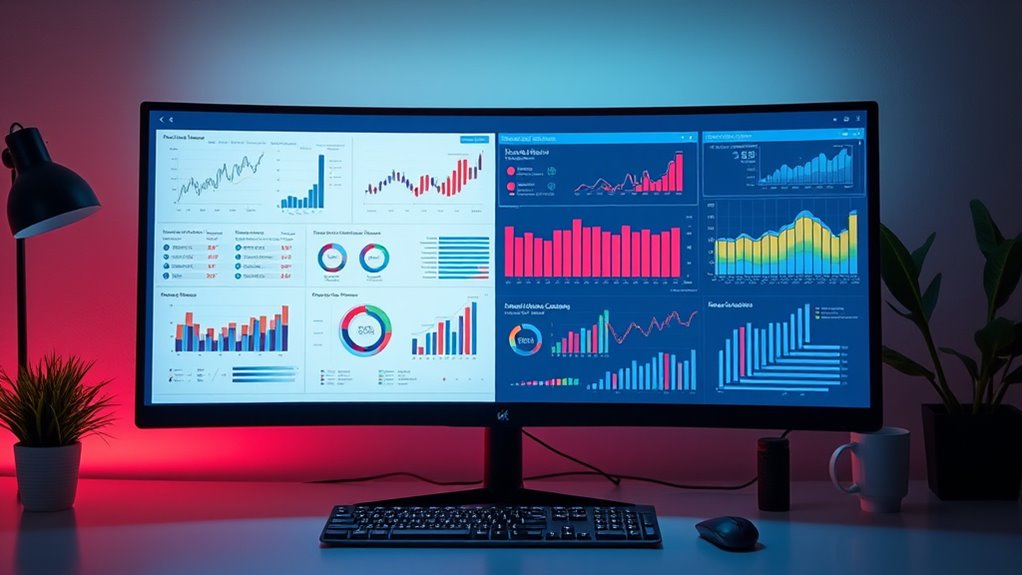

Choosing a highend 4k monitor for productivity involves balancing exceptional image quality, large screen real estate, and advanced features like color accuracy and connectivity. The LG 27US500-W Ultrafine stands out as the best overall pick for its combination of affordability and impressive visuals. For those needing superior color precision, the Samsung ViewFinity S8 offers stunning HDR performance, while the Dell UltraSharp U2723QE excels with its versatile connectivity options. The main tradeoffs involve price versus features, color accuracy versus size, and advanced ergonomics versus simpler setups. Continue reading for a detailed breakdown of these top choices and how they compare.

Get furniture and decor delivered free with Prime
- Fast, free delivery on millions of items
- Prime Video, Amazon Music and more included
- Member-only deals all year
Complete the kit


Key Takeaways
- The best monitors balance color accuracy, screen size, and connectivity for professional productivity.
- Premium features like HDR and high refresh rates often come with higher price tags but can improve workflow quality.
- Size matters: larger screens improve multitasking but require more desk space and higher budgets.
- Connectivity options such as USB-C and Thunderbolt significantly enhance workflow flexibility.
- Build quality and ergonomic features are essential for long-term comfort during extended work sessions.
| LG 27US500-W Ultrafine Monitor 27-Inch 4K UHD HDR10 IPS Borderless Design |  | Best Overall for Versatile Productivity | Display Size: 27 inches | Resolution: 3840×2160 (4K UHD) | Contrast Ratio: 1000:1 | VIEW ON AMAZON | See Our Full Breakdown |
| MSI PRO MAX 271UPXW12G 27 inch 4K UHD QD-OLED Hub Monitor with 120Hz, HDR True Black 400, Dual USB-C, Height Adjustable, Speakers, White |  | Best Premium for Deep Blacks and Content Creation | Display Size: 27 inches | Resolution: 3840 x 2160 (4K UHD) | Technology: QD-OLED | VIEW ON AMAZON | See Our Full Breakdown |
| Dell UltraSharp U2723QE 27″ 4K UHD WLED LCD Monitor – Black, Silver |  | Best for Versatile Connectivity and Office Use | Screen Size: 27 inches | Resolution: 3840 x 2160 (4K UHD) | Response Time: 5 ms GTG | VIEW ON AMAZON | See Our Full Breakdown |
| Samsung 32-Inch ViewFinity S8 (S80UH) High-Resolution Monitor |  | Best for Larger Screen Real Estate and Ergonomics | Size: 32 inches | Resolution: 3840×2160 (4K UHD) | HDR: HDR10+ | VIEW ON AMAZON | See Our Full Breakdown |
| Dell 27 Monitor S2725QC 4K UHD IPS with 120Hz Refresh Rate and FreeSync Premium |  | Best for Smooth Performance and Accurate Colors | Display Size: 27 inches | Resolution: 3840×2160 (4K UHD) | Panel Type: IPS | VIEW ON AMAZON | See Our Full Breakdown |
| Dell P3225QE 31.5-Inch 4K UHD IPS Monitor with USB-C |  | Best Overall for Large-Scale Productivity | Size: 31.5 inches | Resolution: 3840 x 2160 (4K UHD) | Refresh Rate: 100Hz | VIEW ON AMAZON | See Our Full Breakdown |
| LG UltraFine U7 27-inch UHD 4K IPS Monitor 27U711-B Bundle |  | Best for Creative Professionals and Precise Color | Screen Size: 27 inches | Resolution: 3840 × 2160 (UHD 4K) | Color Coverage: 90% DCI-P3 | VIEW ON AMAZON | See Our Full Breakdown |
| Dell UltraSharp U2723QE 27-Inch 4K LED Monitor |  | Best Value for Compact 4K Productivity | Display Size: 27 inches | Resolution: 3840 x 2160 (4K) | Type: LED | VIEW ON AMAZON | See Our Full Breakdown |
| Dell UltraSharp 32 Thunderbolt Hub Monitor – U3226QER, 120Hz, 4K UHD |  | Best for Creators and Multi-Device Workflow | Display Size: 32 inches | Resolution: 4K UHD | Contrast Ratio: 3,000:1 | VIEW ON AMAZON | See Our Full Breakdown |
| Samsung 43” M7 (M70F) Series 4K UHD Smart Monitor |  | Best for All-in-One Entertainment and Productivity | Screen Size: 43 inches | Resolution: 4K UHD | Features: Smart TV, AI Picture Optimizer, Knox Security | VIEW ON AMAZON | See Our Full Breakdown |
| LG 32UP83AK-W 32-inch 4K UHD IPS Computer Monitor with HDR10, USB-C, Adjustable Stand |  | Best Overall for Versatile Productivity | Display Size: 32 inches | Resolution: 3840 x 2160 (4K UHD) | Panel Type: IPS | VIEW ON AMAZON | See Our Full Breakdown |
| Sceptre 32-inch 4K UHD Monitor with Built-in Speakers, 70Hz, VESA Mount |  | Best Value for Budget-Conscious Productivity | Display Size: 32 inches | Resolution: 3840 x 2160 (4K UHD) | Refresh Rate: 70Hz | VIEW ON AMAZON | See Our Full Breakdown |
| LG 27UP850K-W 27-inch UltraFine 4K UHD IPS Monitor |  | Best for Color Accuracy and Ergonomics | Display Size: 27 inches | Resolution: 3840 x 2160 (4K UHD) | HDR: DisplayHDR 400 | VIEW ON AMAZON | See Our Full Breakdown |
| Dell U4323QE UltraSharp 43 4K USB-C Hub Monitor |  | Best for Multi-Device Productivity and Large Workspace | Size: 42.5 inches | Resolution: 4K | Connectivity: USB-C, Ethernet | VIEW ON AMAZON | See Our Full Breakdown |
| Samsung 32″ ViewFinity S7 (S71H) 4K UHD IPS HDR10 High Resolution Monitor |  | Best for Color Precision and Extended Use | Size: 32 inches | Resolution: 3840 x 2160 (4K UHD) | Display Technology: IPS | VIEW ON AMAZON | See Our Full Breakdown |
| highend 4k monitors for productivity | Resolution | Connectivity | Display Size |
|---|---|---|---|
| LG 27US500-W Ultrafine Monitor | 3840×2160 (4K UHD) | — | 27 inches |
| MSI PRO MAX 271UPXW12G 27 inch | 3840 x 2160 (4K UHD) | Dual USB-C, HDMI, DisplayPort | 27 inches |
| Dell UltraSharp U2723QE 27" 4K | 3840 x 2160 (4K UHD) | — | — |
| Samsung 32-Inch ViewFinity S8 | 3840×2160 (4K UHD) | USB-C, LAN, KVM | — |
| Dell 27 Monitor S2725QC 4K UHD | 3840×2160 (4K UHD) | — | 27 inches |
| Dell P3225QE 31.5-Inch 4K UHD | 3840 x 2160 (4K UHD) | HDMI 2.1, DisplayPort 1.4, USB-C | — |
| LG UltraFine U7 27-inch UHD 4K | 3840 × 2160 (UHD 4K) | — | — |
| Dell UltraSharp U2723QE 27-Inc | 3840 x 2160 (4K) | Limited details | 27 inches |
| Dell UltraSharp 32 Thunderbolt | 4K UHD | — | 32 inches |
| Samsung 43” M7 | 4K UHD | USB-C, HDMI, USB-A | — |
| LG 32UP83AK-W 32-inch 4K UHD I | 3840 x 2160 (4K UHD) | HDMI, DisplayPort, USB Type-C | 32 inches |
| Sceptre 32-inch 4K UHD Monitor | 3840 x 2160 (4K UHD) | 2 x DisplayPort, 2 x HDMI | 32 inches |
| LG 27UP850K-W 27-inch UltraFin | 3840 x 2160 (4K UHD) | USB Type-C, HDMI, DisplayPort | 27 inches |
| Dell U4323QE UltraSharp 43 4K | 4K | USB-C, Ethernet | — |
| Samsung 32" ViewFinity S7 | 3840 x 2160 (4K UHD) | — | — |
More Details on Our Top Picks
LG 27US500-W Ultrafine Monitor 27-Inch 4K UHD HDR10 IPS Borderless Design
This LG monitor stands out for its vivid 4K resolution combined with a wide 90% DCI-P3 color gamut, making it well-suited for creative workflows alongside standard productivity tasks. Its adjustable ergonomic stand and borderless design support immersive viewing, which benefits users who spend long hours at their desk. Compared with the Dell U2723QE, it offers more vibrant visuals thanks to HDR10 support, though it lacks integrated speakers and has more limited connectivity options. The absence of USB-C with power delivery means additional hubs may be necessary for some setups, but its affordability and versatility make it a practical choice for both professionals and casual users. Its strengths in image quality and ergonomic flexibility make it a solid all-rounder, though those needing extensive port options or built-in audio might look elsewhere.
Pros:- Vivid 4K UHD resolution with wide color spectrum
- Adjustable ergonomic stand for comfortable viewing
- Supports HDR10 for enhanced color and contrast
- Borderless design for immersive experience
Cons:- No built-in speakers
- Limited connectivity options listed
Best for: Creative professionals and general users seeking a high-quality, adjustable 4K display with immersive visuals.
Not ideal for: Users requiring extensive connectivity, built-in speakers, or a budget-conscious choice, as the price and features are somewhat limited.
- Display Size:27 inches
- Resolution:3840×2160 (4K UHD)
- Contrast Ratio:1000:1
- Color Gamut:90% DCI-P3
- HDR:HDR10
- Panel Type:IPS
Our verdict“This monitor offers a balanced mix of image quality and ergonomic features, making it ideal for creative and general productivity use.”
MSI PRO MAX 271UPXW12G 27 inch 4K UHD QD-OLED Hub Monitor with 120Hz, HDR True Black 400, Dual USB-C, Height Adjustable, Speakers, White
The MSI PRO MAX 271UPXW12G distinguishes itself with a QD-OLED panel delivering exceptional contrast, deep blacks, and vibrant colors, making it a prime choice for professionals involved in content editing and color grading. Its 120Hz refresh rate ensures smooth performance, especially beneficial for video editing or fast-moving workflows. Unlike the LG 27US500-W, it provides superior contrast and richer blacks, but this premium quality comes with a higher price tag that might be prohibitive for some. The dual USB-C ports with 98W power delivery and Mac compatibility make it highly versatile, yet it requires compatible devices to fully leverage its features. This monitor is best suited for users who prioritize image fidelity over affordability and are willing to invest in top-tier display technology.
Pros:- Vivid 4K UHD visuals with deep blacks and accurate colors
- Smooth 120Hz refresh rate for fluid performance
- Dual USB-C with 98W power delivery
- High contrast with HDR True Black 400 certification
Cons:- Premium price point
- Requires compatible devices for full feature utilization
Best for: Professional content creators and high-end users needing deep blacks, vibrant colors, and precise contrast for detailed work.
Not ideal for: Budget-conscious buyers or those needing extensive port options beyond USB-C, as the cost and feature complexity could be limiting.
- Display Size:27 inches
- Resolution:3840 x 2160 (4K UHD)
- Technology:QD-OLED
- Refresh Rate:120Hz
- HDR:VESA DisplayHDR True Black 400
- Connectivity:Dual USB-C, HDMI, DisplayPort
Our verdict“This QD-OLED monitor excels for those demanding exceptional contrast and color accuracy, especially in creative workflows.”
Dell UltraSharp U2723QE 27″ 4K UHD WLED LCD Monitor – Black, Silver
The Dell UltraSharp U2723QE offers a crisp 4K display with a sleek design, suited for multitasking and general productivity. Its anti-glare coating minimizes reflections, which benefits prolonged work sessions. Compared to the LG 27US500-W, it provides broader connectivity options, including USB-C with 90W power delivery, making it a flexible choice for office setups. However, it lacks specific ergonomic features beyond tilt adjustment, and details on audio quality are limited. Its response time and refresh rate are more than sufficient for typical office work, but it isn’t designed for high-refresh gaming or intense media editing. Overall, it makes sense for users needing a reliable, high-resolution display with multiple ports in a professional environment.
Pros:- High-resolution 4K display for crisp visuals
- Multiple connectivity options including USB-C with 90W power
- Anti-glare coating reduces reflections
- Reliable performance for multitasking
Cons:- Limited ergonomic adjustments
- No detailed info on built-in speakers
Best for: Office workers and professionals seeking a high-resolution display with flexible connectivity options.
Not ideal for: Creative professionals requiring high color accuracy or high refresh rates for fast-paced editing or gaming, as it emphasizes versatility over specialized features.
- Screen Size:27 inches
- Resolution:3840 x 2160 (4K UHD)
- Response Time:5 ms GTG
- Brightness:400 Nit
- Ports:HDMI, DisplayPort, USB-C 3.2 Gen 2
- Power Delivery:Up to 90W
Our verdict“A dependable choice for professional environments where connectivity and clarity are priorities over gaming or advanced ergonomics.”
Samsung 32-Inch ViewFinity S8 (S80UH) High-Resolution Monitor
The Samsung ViewFinity S8 offers a spacious 32-inch 4K UHD display, making it well-suited for multitasking and detailed work. Its ergonomic tilt and swivel enhance comfort, and the inclusion of USB-C with 90W charging simplifies cable management. It supports HDR10+ for vibrant visuals and includes a built-in LAN port and KVM switch, adding to its versatility for professional environments. Compared with the smaller Dell U2723QE, it provides a larger workspace, but this size may be cumbersome in smaller desks or for users who prefer a more compact setup. The higher price reflects its expanded features, so users should weigh the need for screen size and additional connectivity. It’s ideal for those prioritizing workspace size and ergonomic flexibility.
Pros:- Large 32-inch 4K display for ample workspace
- Ergonomic tilt and swivel for customized comfort
- USB-C with 90W charging for streamlined setups
- Supports HDR10+ for vibrant visuals
Cons:- Potentially bulky for small desks
- Requires compatible devices to fully utilize features
Best for: Professionals requiring a larger display with advanced connectivity and ergonomic features.
Not ideal for: Desk setups with limited space or users seeking a more budget-friendly, smaller monitor for basic tasks.
- Size:32 inches
- Resolution:3840×2160 (4K UHD)
- HDR:HDR10+
- Connectivity:USB-C, LAN, KVM
- Features:Ergonomic tilt and swivel
Our verdict“This monitor is well-suited for users who need a larger workspace with flexible ergonomics and robust connectivity options.”
Dell 27 Monitor S2725QC 4K UHD IPS with 120Hz Refresh Rate and FreeSync Premium
The Dell S2725QC combines vibrant 4K visuals with a fast 120Hz refresh rate, making it appealing for users who want both clarity and smoothness in daily tasks. Its 99% sRGB coverage ensures accurate color reproduction, suitable for light creative work or media consumption. Compared to the LG 27US500-W, it offers a higher refresh rate and FreeSync Premium support, which benefits those involved in multimedia editing or casual gaming. However, details on built-in speakers or adjustable stands are sparse, and its price may be on the higher side for basic productivity users. It’s an excellent choice for those who value color accuracy and fluid performance without stepping into high-end professional tiers.
Pros:- Vivid 4K visuals with accurate colors
- 120Hz refresh rate for smooth performance
- Low blue light technology for comfort
- Single USB-C connection for simplicity
Cons:- Limited info on built-in speakers
- No adjustable stand features
Best for: Users who need a color-accurate display with fast refresh rates for multimedia editing or smooth multitasking.
Not ideal for: Budget buyers or those needing extensive ergonomic adjustments, as its stand and features are somewhat limited.
- Display Size:27 inches
- Resolution:3840×2160 (4K UHD)
- Panel Type:IPS
- Refresh Rate:120Hz
- Response Time:4 ms
- Color Coverage:99% sRGB
Our verdict“Ideal for users prioritizing color accuracy and fluid performance in a 4K monitor for both work and entertainment.”
Dell P3225QE 31.5-Inch 4K UHD IPS Monitor with USB-C
The Dell P3225QE stands out as the most versatile choice for those who need a large workspace combined with sharp visuals. Its expansive 31.5-inch 4K display delivers vibrant colors and detailed clarity, making it ideal for multitasking across multiple windows or complex spreadsheets. The 100Hz refresh rate ensures smooth scrolling and interactions, surpassing standard 60Hz monitors, which benefits productivity-focused workflows. Connectivity options include HDMI, DisplayPort, and a USB-C port with 90W power delivery, simplifying cable management and device charging. Its fully adjustable stand supports ergonomic setups, vital for long work sessions. Compared to more specialized options like the Dell UltraSharp U2723QE, this model offers larger real estate at a higher price but fewer specific color calibration features. The primary tradeoff is the absence of built-in speakers, which might be inconvenient for some. This pick makes the most sense for professionals who prioritize screen size, versatility, and smooth visuals over ultra-specific color accuracy or built-in audio.
Pros:- Expansive 31.5-inch 4K display for maximum workspace
- Smooth 100Hz refresh rate enhances scrolling and interactions
- Versatile connectivity with USB-C, HDMI, and DisplayPort, including 90W power delivery
- Fully adjustable stand for ergonomic comfort
Cons:- Lacks built-in speakers, requiring external audio solutions
- Higher price point may be prohibitive for some users
Best for: Large-scale multitaskers, financial analysts, or video editors who need extensive screen real estate and flexible connectivity.
Not ideal for: Casual users or those on a tight budget, since its size and features come at a higher cost and may be overkill for simple tasks.
- Size:31.5 inches
- Resolution:3840 x 2160 (4K UHD)
- Refresh Rate:100Hz
- Response Time:5ms GTG
- Color Gamut:99% sRGB
- Connectivity:HDMI 2.1, DisplayPort 1.4, USB-C
Our verdict“This monitor is ideal for professionals needing large screens with flexible connectivity and smooth visuals, accepting the higher investment.”
LG UltraFine U7 27-inch UHD 4K IPS Monitor 27U711-B Bundle
The LG UltraFine U7 27-inch excels as a compact yet highly capable monitor for creative work, offering superb color accuracy with 90% DCI-P3 coverage and HDR10 support. Its IPS panel provides wide viewing angles, making it suitable for collaborative editing sessions and detailed design work. While it doesn’t match the size or raw workspace of the Dell P3225QE, its focus on color fidelity makes it a prime choice for photographers and designers. The borderless, three-sided design maximizes screen real estate, and included accessories like HDMI cables and cleaning kits add convenience. Unlike the Dell P3225QE, it lacks USB-C with power delivery, requiring external power sources and more cables, which might hinder clutter-free setups. The absence of built-in speakers and a slightly higher price for the bundle could be drawbacks. This monitor is best for those prioritizing color precision and sleek design over sheer size or multi-monitor compatibility.
Pros:- Vivid, accurate colors with 90% DCI-P3 coverage
- Wide 178° viewing angles for consistent visuals
- Borderless, three-sided design maximizes workspace
- Includes useful accessories like HDMI cable and cleaning kit
Cons:- No USB-C with power delivery, requiring extra cables
- Higher cost compared to comparable non-creative monitors
Best for: Creative professionals, photographers, and video editors who need accurate colors and wide viewing angles in a smaller form factor.
Not ideal for: Mainstream office workers seeking large screens for multitasking or users who prefer integrated audio and simpler setups.
- Screen Size:27 inches
- Resolution:3840 × 2160 (UHD 4K)
- Color Coverage:90% DCI-P3
- HDR:HDR10 support
- Viewing Angles:178°
- Design:Borderless, three-sided
Our verdict“Ideal for creative users demanding high color accuracy and sleek aesthetics, with some tradeoffs in size and connectivity convenience.”
Dell UltraSharp U2723QE 27-Inch 4K LED Monitor
The Dell UltraSharp U2723QE offers a dependable 27-inch 4K display that balances resolution and size for those seeking reliable visual performance without the premium price tag of larger monitors. Its high-resolution panel ensures sharp detail, suitable for detailed editing and multitasking. While it doesn’t specify refresh rates or advanced connectivity options, Dell’s reputation for solid build quality makes it a safe choice for professional environments. Compared to the larger Dell P3225QE, it’s more space-efficient and easier to fit into tighter setups, but it doesn’t provide the same expansive workspace. Its main tradeoff is the lack of advanced features like USB-C with power delivery or high refresh rates, limiting its appeal for fast-paced workflows or cable management. This monitor makes the most sense for users who want a reliable 4K display in a smaller footprint at an accessible price point.
Pros:- Sharp 4K resolution for detailed visuals
- Compact 27-inch size fits smaller desks
- Reliable Dell build quality
- Affordable price for a 4K monitor
Cons:- Limited information on refresh rate and connectivity
- Lacks advanced features like USB-C with power delivery
Best for: Office workers or professionals who need a high-resolution display in a compact form for daily productivity tasks.
Not ideal for: Power users or creative professionals requiring large screens, extensive color calibration, or high refresh rates.
- Display Size:27 inches
- Resolution:3840 x 2160 (4K)
- Type:LED
- Connectivity:Limited details
Our verdict“A dependable choice for users seeking a compact, high-resolution display that balances performance and price.”
Dell UltraSharp 32 Thunderbolt Hub Monitor – U3226QER, 120Hz, 4K UHD
The Dell U3226QER excels as a premium 32-inch 4K monitor tailored for creators and professionals managing multiple devices. Its IPS Black panel offers a high contrast ratio of 3,000:1, delivering deeper blacks and richer colors compared to standard IPS displays like the LG UltraFine U7. With 99% DCI-P3 coverage and factory calibration, it guarantees color accuracy necessary for design and editing work. The inclusion of Thunderbolt and Ethernet connectivity simplifies multi-device workflows, making it especially appealing to Mac users or those with complex setups. Its near-borderless design maximizes screen real estate, and the 120Hz refresh rate ensures smoother visuals. The limited stand adjustment details mean some users might find it less flexible ergonomically. The high price and lack of extensive stand customization are the main tradeoffs, but overall, this monitor stands out for high-color fidelity and seamless connectivity.
Pros:- High color accuracy with 99% DCI-P3 coverage
- Excellent contrast with IPS Black technology
- Seamless Thunderbolt and Ethernet connectivity
- Near-borderless, premium design
Cons:- Price may be high for some budgets
- Limited stand adjustment options
Best for: Creative professionals, designers, and multi-device users who value color accuracy and high-performance connectivity.
Not ideal for: Budget-conscious users or those needing highly adjustable stands for ergonomic customization.
- Display Size:32 inches
- Resolution:4K UHD
- Contrast Ratio:3,000:1
- Color Coverage:99% DCI-P3
- Refresh Rate:120Hz
- Panel Type:IPS Black
Our verdict“Perfect for creators and professionals needing top-tier color fidelity and smooth multi-device workflows, accepting some flexibility tradeoffs.”
Samsung 43” M7 (M70F) Series 4K UHD Smart Monitor
The Samsung M7 Series offers an unusually large 43-inch 4K screen combined with smart features, making it a versatile option for both work and entertainment. Its vivid display with AI picture optimization enhances productivity by providing clear, bright visuals. Built-in streaming apps, smart home controls, and noise-adaptive audio turn it into an all-in-one entertainment hub, but these features might distract from focused work. While it supports USB-C, HDMI, and USB-A, it’s primarily designed for casual use rather than intensive productivity workflows. Its high price reflects its multimedia focus, and it’s less suited for users needing precise color calibration or high refresh rates for fast tasks. This monitor tends to serve those who want a giant display with smart features for relaxed work or media consumption, not heavy-duty professional tasks.
Pros:- Massive 43-inch 4K UHD display for immersive viewing
- Built-in streaming apps and smart home controls
- AI Picture Optimizer and noise-adaptive audio enhance visual experience
- Multiple connectivity options including USB-C
Cons:- High price for a monitor with multimedia features over professional tools
- Limited focus on color calibration and gaming performance
Best for: Home users seeking a large, versatile 4K display with entertainment and smart home integration.
Not ideal for: Professional creators or power users requiring precise color accuracy and high refresh rates for demanding tasks.
- Screen Size:43 inches
- Resolution:4K UHD
- Features:Smart TV, AI Picture Optimizer, Knox Security
- Connectivity:USB-C, HDMI, USB-A
Our verdict“Best suited for casual users who want a large, smart, and multimedia-capable display for relaxed productivity and entertainment, accepting some limitations in precision.”
LG 32UP83AK-W 32-inch 4K UHD IPS Computer Monitor with HDR10, USB-C, Adjustable Stand
The LG 32UP83AK-W stands out for its vibrant 4K UHD IPS panel combined with HDR10 support, offering superb color accuracy and wide viewing angles that benefit creative workflows. Its USB-C port with 60W power delivery simplifies cable management, making it ideal for users with limited desk space or those seeking a clean setup. Compared to the Samsung ViewFinity S7, it provides a more flexible ergonomic stand with tilt, height, and pivot adjustments, though it trades off a higher refresh rate for a standard 60Hz. This monitor is perfect for professionals who value image quality and ergonomic flexibility but don’t need high refresh rates for gaming. Its main drawbacks include a refresh rate that’s insufficient for fast-paced gaming and the absence of high-quality built-in speakers.
Pros:- Vivid 4K UHD image quality with wide viewing angles
- HDR10 support for enhanced color and brightness
- USB-C port offers display, data transfer, and charging in one cable
- Ergonomic stand with tilt, height, and pivot adjustments
Cons:- Limited to 60Hz refresh rate, not suitable for high-end gaming
- No built-in speakers with high audio quality
Best for: Creative professionals and office workers who prioritize color fidelity and flexible ergonomics.
Not ideal for: High-end gamers or users seeking ultra-smooth motion with refresh rates above 60Hz.
- Display Size:32 inches
- Resolution:3840 x 2160 (4K UHD)
- Panel Type:IPS
- Refresh Rate:60Hz
- HDR:HDR10
- Connectivity:HDMI, DisplayPort, USB Type-C
- USB Power Delivery:60W
- Stand Adjustments:Tilt, Height, Pivot
Our verdict“This monitor suits professionals who need versatile, high-quality visuals and ergonomic flexibility over gaming performance.”
Sceptre 32-inch 4K UHD Monitor with Built-in Speakers, 70Hz, VESA Mount
The Sceptre 32-inch 4K UHD offers a crisp display with vibrant colors at an attractive price point. Its 70Hz refresh rate makes it suitable for general productivity and light creative work but falls short for serious gaming or high-frame-rate tasks when compared to the LG 27UP850K-W. Built-in speakers add convenience for video calls or casual media, although they won’t satisfy audiophiles. The VESA mount compatibility and multiple input options provide flexible workspace setup, making it appealing for users who want a large 4K display without a hefty price. The main tradeoffs are the limited refresh rate and modest audio quality, which may not meet demands for fast-paced gaming or critical audio needs.
Pros:- High-resolution 4K display with vibrant colors
- Built-in speakers for convenience
- VESA mount compatibility for flexible setup
- Multiple input options for versatile connectivity
Cons:- Limited to 70Hz refresh rate, not ideal for high-end gaming
- Built-in speakers may lack depth and clarity
Best for: Budget-conscious professionals needing a large 4K display with flexible mounting options.
Not ideal for: High-end gamers or audiophiles requiring premium sound or high refresh rates.
- Display Size:32 inches
- Resolution:3840 x 2160 (4K UHD)
- Refresh Rate:70Hz
- Built-in Speakers:Yes
- VESA Mount:Yes, 100mm x 100mm
- Connectivity:2 x DisplayPort, 2 x HDMI
Our verdict“This monitor offers solid 4K productivity with flexible setup at a budget-friendly price, but falls short for gaming and audiophile needs.”
LG 27UP850K-W 27-inch UltraFine 4K UHD IPS Monitor
The LG 27UP850K-W delivers a compact yet highly capable 4K IPS display with HDR 400 support. Its size makes it a better fit for users who prefer a more space-efficient setup compared to larger 32-inch models like the Samsung ViewFinity S7. Its color gamut up to 95% DCI-P3 and HDR support make it excellent for color-sensitive tasks, while its multiple connectivity options including USB-C with power delivery streamline workflows. The adjustable stand with height, tilt, and pivot enhances ergonomic comfort during long work sessions, but the monitor’s 60Hz refresh rate limits its appeal for gamers seeking high frame rates. It’s priced higher, reflecting its professional-grade features, which may be a barrier for casual users.
Pros:- High-resolution 4K display with vibrant colors
- HDR 400 support for vivid contrast
- Multiple connectivity options including USB-C with power delivery
- Ergonomic stand with height, tilt, and pivot adjustments
Cons:- Limited to 60Hz refresh rate, not ideal for high-frame-rate gaming
- No detailed info on built-in speaker quality
Best for: Creative professionals and designers who prioritize color accuracy and ergonomic flexibility.
Not ideal for: Competitive gamers or users seeking ultra-high refresh rates for fast-paced gaming.
- Display Size:27 inches
- Resolution:3840 x 2160 (4K UHD)
- HDR:DisplayHDR 400
- Color Gamut:Up to 95% DCI-P3
- Connectivity:USB Type-C, HDMI, DisplayPort
- Speakers:Built-in stereo speakers
- Stand Adjustments:Height, tilt, pivot
Our verdict“This monitor is ideal for color-critical work and ergonomic comfort but isn’t suited for fast-paced gaming.”
Dell U4323QE UltraSharp 43 4K USB-C Hub Monitor
The Dell U4323QE offers an expansive 42.5-inch 4K display capable of supporting multiple workflows thanks to its multi-PC connectivity and KVM switch. It excels in multi-tasking environments, allowing users to organize their workspace into four FHD partitions, which is a significant advantage over smaller or less flexible monitors like the LG 32UP83AK-W. While its size and versatility are impressive, the hefty price tag and the need for compatible hardware may deter casual users or those with limited budgets. This model prioritizes productivity and multi-device management over gaming or multimedia, making it a prime choice for professionals managing multiple systems.
Pros:- Support for multi-PC connectivity with seamless switching
- Large 42.5-inch 4K display for detailed multitasking
- Enables organizing workspace into four partitions
- Supports KVM switch for easy device control
Cons:- High cost may be prohibitive for casual users
- Requires compatible hardware for full feature set
- Size may be impractical for smaller desks
Best for: Power users managing multiple computers or requiring a large, organized workspace.
Not ideal for: Casual users, gamers, or those with limited desk space or budget constraints.
- Size:42.5 inches
- Resolution:4K
- Connectivity:USB-C, Ethernet
- Partitions:Up to four FHD
- Features:Multi-PC, KVM, Auto KVM
Our verdict“This monitor is perfect for multi-system professionals who need a large, organized workspace but isn’t suitable for casual or budget-conscious users.”
Samsung 32″ ViewFinity S7 (S71H) 4K UHD IPS HDR10 High Resolution Monitor
The Samsung ViewFinity S7 (S71H) combines a 32-inch 4K UHD IPS panel with HDR10 support for rich contrast and color accuracy, making it well-suited for professional editing and detailed visual tasks. Features like Eye Saver Mode and multiple ports including HDMI and DisplayPort support prolonged use with reduced eye strain. Its game mode adds versatility for occasional gaming, though its premium price tag might be a barrier for some. Compared with the LG 32UP83AK-W, it emphasizes color precision and eye comfort, but lacks detailed stand adjustability. This monitor is best for professionals who need accurate visuals over high refresh rates or gaming performance.
Pros:- High-resolution 4K UHD with accurate IPS color
- HDR10 support enhances contrast and color range
- Eye Saver Mode reduces eye strain for long hours
- Multiple ports for versatile connectivity
Cons:- Premium price may limit accessibility
- Limited stand adjustment details available
Best for: Photographers, designers, and content creators prioritizing color accuracy and eye comfort.
Not ideal for: Fast-paced gamers or users seeking highly adjustable stands or lower price points.
- Size:32 inches
- Resolution:3840 x 2160 (4K UHD)
- Display Technology:IPS
- HDR:HDR10
- Features:HDMI, DisplayPort, Eye Saver Mode, Game Mode
Our verdict“This monitor is tailored for professionals demanding color fidelity and eye comfort, not high-refresh-rate gaming.”

How We Picked
The monitors included in this roundup were selected based on their performance in key areas relevant to productivity: display clarity, color accuracy, build quality, connectivity, and ergonomic features. We prioritized models that offer a combination of high resolution, reliable color reproduction, and versatile ports to support professional workflows. Cost was also a factor, ensuring that each pick provides value at its respective price point. The ranking reflects not only raw specs but also real-world usability, aiming to help users find a monitor that fits their specific work needs without unnecessary compromises.Factors to Consider When Choosing Highend 4k Monitors For Productivity
When selecting a highend 4k monitor for productivity, it’s vital to consider multiple factors that influence how well the monitor integrates into your workflow. Beyond just resolution, aspects like color accuracy, size, connectivity, and ergonomics can dramatically affect your efficiency and comfort. Making the right choice depends on understanding your specific work style, space constraints, and budget. Here are key considerations that will help you make a smarter purchase decision.Display Size and Resolution
Highend 4k monitors typically range from 27 to 43 inches. Larger screens can significantly boost multitasking and reduce window switching, especially for complex workflows like video editing or data analysis. However, bigger displays demand more desk space and higher investment, and they might require more powerful hardware to drive the resolution smoothly. Consider your workspace and whether your system supports the performance needed for larger, high-resolution screens.
Color Accuracy and HDR Support
For creative professionals or anyone working with color-sensitive tasks, color accuracy is paramount. Look for monitors with factory-calibrated color profiles, high coverage of Adobe RGB or DCI-P3, and HDR support. While HDR can enhance visual richness, it’s most effective when paired with content that supports it. Skipping this can lead to compromised visual fidelity, especially if you rely on precise color reproduction for your work.
Connectivity Options
Versatile ports like USB-C, Thunderbolt, and HDMI are essential for seamless integration with modern devices. USB-C, in particular, can deliver power, video, and data through a single cable, reducing clutter. Be mindful of the monitor’s bandwidth and compatibility with your hardware. Choosing a monitor with multiple connection options ensures future-proofing and flexibility in your setup.
Ergonomics and Build Quality
Long hours at a desk require a monitor that can be adjusted for comfort. Adjustable stands, height, tilt, and swivel features minimize strain and improve posture. Additionally, a sturdy build quality ensures durability over years of heavy use. Failing to prioritize ergonomics can lead to discomfort or repetitive strain injuries, especially in demanding work environments.
Price and Overall Value
Highend 4k monitors vary widely in price. Investing more often yields better color accuracy, larger sizes, and premium features, but it’s important to match the investment to your actual needs. Budgeting for a monitor that balances features with cost ensures you don’t overspend on extras you won’t utilize, but also avoid skimping on essentials that impact productivity. Consider long-term value rather than just initial cost.
Frequently Asked Questions
Is a 27-inch 4K monitor enough for professional productivity tasks?
A 27-inch 4K monitor offers a sharp, detailed display that balances size and desk space, making it suitable for most professional tasks such as coding, document editing, and design work. While larger sizes can boost multitasking, a 27-inch screen provides enough real estate without overwhelming smaller desks. For highly demanding multitasking or creative workflows, however, larger monitors might improve efficiency further. Ultimately, it depends on your workspace and specific needs.
Should I prioritize color accuracy or size when choosing a highend 4K monitor?
If your work involves color-sensitive tasks like photo editing or graphic design, prioritizing color accuracy is essential. Features like wide color gamuts and factory calibration ensure your work looks consistent across devices. Conversely, if your primary goal is multitasking and having multiple windows open, a larger screen size can enhance workflow. For many users, a balance—such as a 27-inch monitor with high color fidelity—strikes the best compromise.
Are HDR features worth paying extra for in a productivity monitor?
HDR can add significant visual depth, especially for tasks involving media review or creative work, but not all HDR implementations are equal. True HDR support with high peak brightness and wide color gamut can improve the viewing experience, making details pop and colors more vibrant. However, for standard productivity tasks like document editing or coding, HDR may not be a critical feature. Weigh the cost against your specific use cases before deciding.
How important is ergonomic design in a highend 4K monitor?
Ergonomics directly impact comfort during extended periods of use. Monitors with adjustable height, tilt, and swivel allow you to set a posture that minimizes neck and eye strain. Durable build quality ensures the monitor withstands daily adjustments and long-term use. Ignoring ergonomics can lead to discomfort, affecting focus and productivity over time, making it a vital consideration for any professional setup.
Is it better to buy a monitor with more ports or higher resolution features?
Both are important, but the decision depends on your workflow. Multiple ports, especially USB-C and Thunderbolt, facilitate connecting multiple devices and simplify cable management. Higher resolution features enhance visual clarity and workspace size, improving multitasking. Ideally, choose a monitor that offers a balance—high resolution along with ample, versatile ports—so you can maximize both image quality and connectivity for a seamless experience.
Conclusion
Overall, the best choice depends on your specific needs. For those seeking an all-around performer that balances size, features, and value, the LG 27US500-W Ultrafine makes an excellent pick. Creative professionals or those who prioritize color fidelity may prefer the Samsung ViewFinity S8 or LG UltraFine U7. For users with demanding multitasking needs and a larger workspace, the Dell U4323QE or Samsung 43” M7 provide expansive screens with professional-grade features. Budget-conscious buyers should focus on models offering high resolution and good ergonomics without overpaying for extras they won’t use. Ultimately, matching the monitor to your workflow and workspace ensures maximum productivity and comfort in 2026.