Searching for adjustable monitor arms for dual setups? The best choices balance stability, flexibility, and build quality, with the Mount-It! Dual Monitor Desk Mount standing out as the overall top pick. The HUANUO 17-32 Inch Dual Monitor Stand offers a versatile, easy-to-adjust option, while the Amazon Basics Gas Spring Dual Monitor Arm provides great value for lighter setups. Each of these options faces tradeoffs like weight capacity, adjustability range, or installation complexity. Continue reading to see how these and other options compare for your dual monitor needs.
Complete the kit


Get furniture and decor delivered free with Prime
- Fast, free delivery on millions of items
- Prime Video, Amazon Music and more included
- Member-only deals all year
Key Takeaways
- Top picks like Mount-It! and HUANUO excel in stability and smooth adjustability, making them suitable for long-term, ergonomic use.
- Value-focused options like Amazon Basics deliver solid performance at a lower price, but often have weight or size limitations.
- Installation complexity varies; clamp-based mounts are generally easier for DIY setups, while grommet mounts offer cleaner aesthetics and more stability.
- Most high-capacity arms support heavier monitors but tend to be bulkier and more expensive, making them better suited for professional environments.
- Flexibility in adjustment (height, tilt, swivel) is common among premium models, but budget options often lack some of these features.
| Mount-It! Dual Monitor Desk Mount, 13-32″, 17.6 lbs Each |  | Best Overall for Flexibility and Customization | Supports Screen Size: 13-32 inches | Maximum Load per Arm: 17.6 lbs | VESA Compatibility: 75x75mm, 100x100mm | VIEW ON AMAZON | See Our Full Breakdown |
| HUANUO 17-32 Inch Dual Monitor Stand with Adjustable Mounts |  | Best for Ergonomic Flexibility and Desk Space | Size Support: 17-32 inches | Maximum Weight: 19.8 lbs per monitor | VESA Compatibility: 75x75mm, 100x100mm | VIEW ON AMAZON | See Our Full Breakdown |
| Amazon Basics Gas Spring Dual Monitor Arm Desk Mount, Adjustable Tension, Fits 15–27 Inch Monitors, Supports 4.4–15.4 lbs Each Arm, VESA 75×75/100×100, Black |  | Best Budget-Friendly with Adjustable Tension | Supports Monitors: 15–27 inches | Max Load per Arm: 15.4 lbs | VESA Compatibility: 75x75mm, 100x100mm | VIEW ON AMAZON | See Our Full Breakdown |
| HUANUO Dual Monitor Stand – Fully Adjustable Desk Mount with Swivel VESA Bracket, C Clamp & Grommet Base for 13-32 Inch Screens, Supports 4.4-19.8 lbs per Arm, White |  | Best for Full Motion and Easy Installation | Compatibility: 13-32 inches, 4.4-19.8 lbs | Mounting Options: C-clamp, Grommet | Tilt: +80°/-50° | VIEW ON AMAZON | See Our Full Breakdown |
| ErGear Dual Monitor Arm for 13–32″ Screens, Adjustable VESA Mount with Tool-Free Installation |  | Best for Durable, Long-Term Use with Tool-Free Setup | Supported Screen Size: 13-32 inches | Max Load: 19.8 lbs | VESA Compatibility: 75x75mm, 100x100mm | VIEW ON AMAZON | See Our Full Breakdown |
| VIVO Dual Monitor Desk Mount for 13-30 inch Screens, Holds 22 lbs Each, Fully Adjustable Steel Stand with C-Clamp and Grommet, Black |  | Best Overall | Screen Size Compatibility: 13-30 inches | Maximum Weight per Monitor: 22 lbs | VESA Compatibility: 75x75mm, 100x100mm | VIEW ON AMAZON | See Our Full Breakdown |
| VIVO Dual Monitor Stand, Fully Adjustable Arms for 17 to 32 inch Screens, Mechanical Articulating Desk Mount, VESA 75×75 and 100×100, Max 19.8 lbs, Black |  | Best for Versatility on Mid-Size Monitors | Screen Compatibility: 17-32 inches | Weight Capacity: 19.8 lbs per monitor | VESA Pattern: 75x75mm, 100x100mm | VIEW ON AMAZON | See Our Full Breakdown |
| Acer Dual Monitor Arm Gas Spring VESA Mount Stand for 17-32″ Screens |  | Best for Ergonomic Flexibility | Supported Screen Size: 17–32 inches | Weight Capacity: 4.4–19.8 lbs | VESA Compatibility: 75×75 mm, 100×100 mm | VIEW ON AMAZON | See Our Full Breakdown |
| HUANUO FlowLift Dual Monitor Stand, Fully Adjustable Desk Mount for 13–32″ Screens |  | Best for Workspace Organization | Compatibility: 13-32 inches | Weight Capacity: 4.4-19.8 lbs | Mounting Options: C-Clamp, Grommet | VIEW ON AMAZON | See Our Full Breakdown |
| ErGear Dual Monitor Stand, Heavy Duty Adjustable Desk Mount for 2 Screens up to 32 Inches |  | Best Heavy-Duty Support | Monitor Size Range: 13-32 inches | Weight Limit: 17.6 lbs per monitor | VESA Compatibility: 75×75 mm, 100×100 mm | VIEW ON AMAZON | See Our Full Breakdown |
| Dual Monitor Stand for up to 32 inch screens, Adjustable Desk Mount for 2 Monitors, VESA Compatible, Black |  | Best Overall Dual Monitor Mount | Monitor Size Range: up to 32 inches | Weight Capacity: 4.4 to 19.8 lbs | VESA Compatibility: 75x75mm, 100x100mm | VIEW ON AMAZON | See Our Full Breakdown |
| MountUp Dual Monitor Stand for Desk, Adjustable VESA Mount for 2 Monitors 17-32 Inches |  | Best Value Dual Monitor Mount | Weight Capacity: 4.4-17.6 lbs | Screen Size Compatibility: 17-32 inches | VESA Patterns: 75×75 mm, 100×100 mm | VIEW ON AMAZON | See Our Full Breakdown |
| WALI Adjustable Dual Monitor Arm for 13-32 inch Screens, 22 lbs per Arm |  | Best for Versatile Motion and Heavy Monitors | Compatibility: Screens up to 32 inches, 22 lbs | Max Load Capacity: 22 lbs per arm | Mounting Options: C-clamp or grommet | VIEW ON AMAZON | See Our Full Breakdown |
| EVEO Premium Dual Monitor Mount 14-32″ Dual Monitor Arm VESA Adjustable Height Gas Spring |  | Best Premium Dual Gas Spring Mount | Supported Screen Size: 14-32 inches | VESA Compatibility: 75×75 mm, 100×100 mm | Mounting Options: Desk clamp, Grommet | VIEW ON AMAZON | See Our Full Breakdown |
| HUANUO Dual Monitor Stand for 13″–40″ Monitors with USB, Height Adjustable, VESA Mount, Clamp/Grommet Base |  | Best for Large, Heavy Monitors with Extra Features | Supports Monitors: 13″–40″ | Max Weight per Arm: 26.4 lbs | VESA Compatibility: 75×75mm or 100×100mm | VIEW ON AMAZON | See Our Full Breakdown |
| adjustable monitor arms for dual setup | Mounting Options | VESA Compatibility |
|---|---|---|
| Mount-It! Dual Monitor Desk Mo | C-clamp, Grommet base | 75x75mm, 100x100mm |
| HUANUO 17-32 Inch Dual Monitor | — | 75x75mm, 100x100mm |
| Amazon Basics Gas Spring Dual | C-clamp and grommet | 75x75mm, 100x100mm |
| HUANUO Dual Monitor Stand | C-clamp, Grommet | — |
| ErGear Dual Monitor Arm for 13 | — | 75x75mm, 100x100mm |
| VIVO Dual Monitor Desk Mount f | C-clamp, Grommet | 75x75mm, 100x100mm |
| VIVO Dual Monitor Stand | C-clamp, Grommet | — |
| Acer Dual Monitor Arm Gas Spri | C-Clamp, Grommet | 75×75 mm, 100×100 mm |
| HUANUO FlowLift Dual Monitor S | C-Clamp, Grommet | — |
| ErGear Dual Monitor Stand | — | 75×75 mm, 100×100 mm |
| Dual Monitor Stand for up to 3 | — | 75x75mm, 100x100mm |
| MountUp Dual Monitor Stand for | C-clamp, Grommet | — |
| WALI Adjustable Dual Monitor A | C-clamp or grommet | — |
| EVEO Premium Dual Monitor Moun | Desk clamp, Grommet | 75×75 mm, 100×100 mm |
| HUANUO Dual Monitor Stand for | Clamp and Grommet | 75×75mm or 100×100mm |
More Details on Our Top Picks
Mount-It! Dual Monitor Desk Mount, 13-32″, 17.6 lbs Each
This Mount-It! dual monitor mount stands out for its independent full-motion arms, giving users extensive control over each screen’s position. Compared to the HUANUO Dual Monitor Stand, it offers more precise tension adjustments and supports larger monitors, making it ideal for users who prioritize customization. However, its heavier weight and assembly complexity might challenge those with simpler setups or limited space. The inclusion of full tilt, swivel, and rotation along with easy height adjustments makes it suitable for demanding professional environments. Still, monitors with non-standard VESA patterns or exceeding 17.6 lbs may require additional tension tuning or are incompatible.
Pros:- Independent, fully adjustable arms for customized positioning
- Supports a wide range of monitor sizes and weights up to 17.6 lbs
- Smooth height adjustment with gas springs for effortless movement
- Integrated cable management to reduce clutter
Cons:- Heavy build may require sturdy desk support
- Assembly can be complex and time-consuming
Best for: Professionals or home office users who need maximum flexibility and support for a variety of monitor sizes and weights.
Not ideal for: Casual users with lightweight monitors or those seeking a quick, tool-free setup without detailed adjustments.
- Supports Screen Size:13-32 inches
- Maximum Load per Arm:17.6 lbs
- VESA Compatibility:75x75mm, 100x100mm
- Number of Arms:2
- Adjustment:Tilt (+90°/−45°), Swivel (±90°), Rotation 360°
- Mounting Options:C-clamp, Grommet base
Our verdict“This mount is best suited for users who need maximum control and support for diverse monitor configurations.”
HUANUO 17-32 Inch Dual Monitor Stand with Adjustable Mounts
Compared to the Mount-It!, the HUANUO dual stand offers excellent ergonomic adjustment with 90° tilt, 180° swivel, and 360° rotation, making it ideal for users focused on comfort and workspace efficiency. Its support for monitors up to 32 inches and nearly 20 lbs per arm makes it a versatile choice for larger displays. However, it is less suitable for glass desks or those with under-desk crossbeams, and its installation may require precise measurements to ensure stability. Its straightforward design and cable management help streamline workspace organization, but heavier monitors approaching the 19.8 lbs limit could compromise stability.
Pros:- Supports large monitors up to 32 inches with high weight capacity
- Full-motion flexibility for ergonomic positioning
- Cable management to keep workspace tidy
- Multiple mounting options for different desk types
Cons:- Not suitable for glass desks or desks with crossbeams underneath
- Requires careful setup to ensure stability for heavier monitors
Best for: Individuals seeking ergonomic flexibility and a clutter-free workspace with larger monitors.
Not ideal for: Users with glass desks or those who prefer quick, tool-free setups without detailed alignment adjustments.
- Size Support:17-32 inches
- Maximum Weight:19.8 lbs per monitor
- VESA Compatibility:75x75mm, 100x100mm
- Extension Height:17 inches
- Tilt:90°
- Swivel:180°
Our verdict“This stand is perfect for users prioritizing ergonomic adjustments and sizable displays, with some care needed during installation.”
Amazon Basics Gas Spring Dual Monitor Arm Desk Mount, Adjustable Tension, Fits 15–27 Inch Monitors, Supports 4.4–15.4 lbs Each Arm, VESA 75×75/100×100, Black
Compared with the HUANUO stand, the Amazon Basics model emphasizes adjustable tension, making it easier to customize monitor stability without tools. Its support for monitors from 15 to 27 inches and lighter weight capacity suits those with smaller, lighter displays. Yet, initial stiffness in the joints can require patience and fine-tuning, especially for users unfamiliar with tension adjustments. Its simplified design and dual mounting options make it accessible for beginners, but heavier monitors or larger sizes beyond 27 inches may not be supported reliably, limiting its versatility.
Pros:- Adjustable tension for personalized stability
- Supports a broad range of monitor sizes (15-27 inches)
- Versatile mounting options for various desks
- Lightweight and easy to transport
Cons:- Initial stiffness may require multiple adjustments
- Limited support for larger or heavier monitors
Best for: Budget-conscious users with smaller monitors seeking adjustable tension and straightforward setup.
Not ideal for: Users with larger or heavier monitors over 27 inches or those who prefer tool-free quick adjustments.
- Supports Monitors:15–27 inches
- Max Load per Arm:15.4 lbs
- VESA Compatibility:75x75mm, 100x100mm
- Mounting Options:C-clamp and grommet
- Item Weight:7 pounds
Our verdict“This arm offers a flexible, affordable solution for smaller monitors with fine-tuned tension control, suitable for entry-level setups.”
HUANUO Dual Monitor Stand – Fully Adjustable Desk Mount with Swivel VESA Bracket, C Clamp & Grommet Base for 13-32 Inch Screens, Supports 4.4-19.8 lbs per Arm, White
Building on the previous HUANUO model, this version emphasizes full motion with even more adjustable features and supports heavier monitors up to 19.8 lbs. Its tool-free VESA mounting simplifies setup, making it accessible for users who want quick adjustments. While it shares support for large screens, its maximum weight limit may restrict some heavier, high-end displays. Its cable management and sturdy construction make it attractive for those who value both aesthetics and function, though some users might find the assembly instructions less clear than ideal.
Pros:- Supports a wide range of monitor sizes and weights
- Full motion with tilt, swivel, and rotation for ergonomic comfort
- Simple tool-free VESA mounting
- Cable management features for tidy workspace
Cons:- Limited to monitors under 19.8 lbs for optimal stability
- Assembly instructions could be clearer for some users
Best for: Users seeking a fully adjustable, easy-to-install dual monitor setup with support for heavier monitors.
Not ideal for: Desk setups with crossbeams or very heavy monitors exceeding 19.8 lbs, where stability could be compromised.
- Compatibility:13-32 inches, 4.4-19.8 lbs
- Mounting Options:C-clamp, Grommet
- Tilt:+80°/-50°
- Swivel:±90°
- Rotation:360°
Our verdict“Ideal for users who want comprehensive motion control and easy setup for mid-sized monitors, with attention to weight limits.”
ErGear Dual Monitor Arm for 13–32″ Screens, Adjustable VESA Mount with Tool-Free Installation
Compared to the Amazon Basics model, the ErGear arm emphasizes durability and ease of setup, with tool-free VESA mounting that appeals to users looking for quick installs. It supports monitors up to 32 inches and 19.8 lbs, making it suitable for most mid-sized screens. Its independent adjustments for height, tilt, swivel, and rotation provide excellent ergonomic flexibility. However, it’s recommended primarily for wooden desks without crossbeams, and its maximum weight limit may restrict very heavy or high-end monitors. The tested durability over 20,000 cycles offers reassurance for long-term use, but the assembly can still be challenging for some users without clear instructions.
Pros:- Durable construction tested for over 20,000 cycles
- Independent, full-motion adjustments for ergonomic comfort
- Tool-free VESA mounting for quick installation
- Supports a wide range of monitor sizes and weights
Cons:- Requires sturdy wooden desks without crossbeams
- Limited compatibility with very heavy or large monitors
Best for: Long-term users who want a sturdy, durable dual monitor arm with quick, tool-free installation.
Not ideal for: Desks with crossbeams or users with monitors exceeding 19.8 lbs, where stability might be compromised.
- Supported Screen Size:13-32 inches
- Max Load:19.8 lbs
- VESA Compatibility:75x75mm, 100x100mm
- Height Adjustment:Up to 17.5 inches
- Extension:Up to 18.1 inches
- Tilt:+80°/-50°
Our verdict“This arm is ideal for users seeking a durable, easy-to-install solution with flexible motion capabilities for mid-sized monitors.”
VIVO Dual Monitor Desk Mount for 13-30 inch Screens, Holds 22 lbs Each, Fully Adjustable Steel Stand with C-Clamp and Grommet, Black
This VIVO dual monitor mount stands out for supporting larger screens up to 30 inches and 22 lbs each, making it ideal for users with heavier, bigger monitors. Its full range of adjustments—tilt, swivel, rotation, and height—outperforms many competitors like the ErGear Dual Monitor Stand, which offers similar flexibility but supports slightly smaller monitors. The steel construction ensures stability, but assembly can be a challenge for beginners. Its compatibility with both C-clamp and grommet mounts provides versatile installation options, and cable management keeps your workspace tidy. However, the need for monitors with VESA 75x75mm or 100x100mm mounts and some effort during setup are tradeoffs. This mount makes the most sense for professionals with large, heavy monitors seeking a durable, fully adjustable solution.
Pros:- Supports large monitors up to 30 inches and 22 lbs each
- Full tilt, swivel, rotation, and height adjustments
- Sturdy steel construction ensures durability
- Includes versatile mounting options with cable management
Cons:- Assembly can be complex for first-time users
- Limited to monitors with specific VESA mounting holes
Best for: Users with large, heavy monitors and a need for maximum adjustability and stability.
Not ideal for: Beginners or those with smaller monitors under 13 inches, as it’s overbuilt for minimalist setups or lightweight screens.
- Screen Size Compatibility:13-30 inches
- Maximum Weight per Monitor:22 lbs
- VESA Compatibility:75x75mm, 100x100mm
- Material:Steel
- Mounting Options:C-clamp, Grommet
- Tilt Range:+90° to -90°
Our verdict“This is a top choice for professionals needing robust support for large, heavy monitors with maximum adjustability.”
VIVO Dual Monitor Stand, Fully Adjustable Arms for 17 to 32 inch Screens, Mechanical Articulating Desk Mount, VESA 75×75 and 100×100, Max 19.8 lbs, Black
This VIVO stand is tailored for users with monitors between 17 and 32 inches, offering a flexible, tool-free adjustment experience that surpasses the more limited tilt and swivel of the Acer Gas Spring Mount. Its robust clamp and grommet options facilitate installation on various desk types, though some users report stability issues on thinner or lightweight desks. The max weight capacity of 19.8 lbs per arm suits most mid-sized monitors, but heavier setups might require sturdier options. The easy-to-use adjustments make it ideal for those frequently changing viewing angles, yet the back of the arms can extend past the desk edge, potentially obstructing workspace. This model is perfect for users seeking a versatile, easy-to-assemble dual monitor solution for mid-sized screens.
Pros:- Fully adjustable tilt, swivel, and rotation
- Supports most monitors from 17 to 32 inches
- Easy to assemble with tool-free adjustments
- Multiple mounting options for versatile installation
Cons:- Back arms may extend past desk edge, blocking workspace
- Limited to 19.8 lbs per monitor, restricting heavier screens
- Clamp stability can vary on thinner desks
Best for: Home office users with monitors 17-32 inches looking for flexible and simple adjustments.
Not ideal for: Professionals with very heavy or larger monitors over 30 inches, or those needing ultra-stable setups on thin desks.
- Screen Compatibility:17-32 inches
- Weight Capacity:19.8 lbs per monitor
- VESA Pattern:75x75mm, 100x100mm
- Mounting Options:C-clamp, Grommet
- Max Top Thickness:3.1 inches (clamp), 1.9 inches (grommet)
- Warranty:3 years
Our verdict“This stand offers flexible, easy adjustments ideal for mid-sized monitors in home or casual office environments.”
Acer Dual Monitor Arm Gas Spring VESA Mount Stand for 17-32″ Screens
This Acer gas spring mount excels in providing smooth, effortless movement for 17-32 inch monitors, supporting a wide weight range of up to 19.8 lbs per monitor. Its gas spring mechanism outperforms traditional spring arms by enabling precise, easy adjustments for height, tilt, swivel, and rotation—ideal for users who frequently change their workspace ergonomics. The flexible installation options include both C-clamp and grommet bases, offering adaptability across various desk types, although the grommet setup might be less suitable for very thick desks or glass surfaces. Compared with the HUANUO FlowLift, which offers similar full motion, Acer’s stand emphasizes durability, passing over 20,000 durability tests. However, it’s less suitable for glass or plastic desks and requires careful measurement before installation. This mount is best for those who prioritize smooth motion and ergonomic precision in their dual monitor setup.
Pros:- Gas spring mechanism allows smooth, effortless movement
- Supports a wide size and weight range of monitors
- Flexible mounting options for easy setup
- Over 20,000 durability tests indicate high reliability
Cons:- Requires verification of desk thickness and material compatibility
- Grommet mounting can be difficult on very thick desks
- Not suitable for glass or plastic surfaces
Best for: Professionals or serious enthusiasts seeking highly adjustable, durable monitor arms for ergonomic comfort.
Not ideal for: Users with glass or plastic desks, or those with very thick tabletops, due to mounting limitations.
- Supported Screen Size:17–32 inches
- Weight Capacity:4.4–19.8 lbs
- VESA Compatibility:75×75 mm, 100×100 mm
- Max Height Adjustment:18.1 inches
- Max Extension:21.25 inches
- Mounting Options:C-Clamp, Grommet
Our verdict“Ideal for users who need precise, effortless ergonomic adjustments and durable performance for professional setups.”
HUANUO FlowLift Dual Monitor Stand, Fully Adjustable Desk Mount for 13–32″ Screens
The HUANUO FlowLift excels in combining full motion adjustments with a clean, organized workspace, supporting monitors from 13 to 32 inches and up to 19.8 lbs. Its lift function helps clear desk space, and the full range of tilt, swivel, and rotation makes it easy to customize viewing angles—surpassing simpler mounts like the Mount-It! Dual Mount. Installation can be complex on desks with cross beams or panels, and it’s limited to wooden desks for optimal stability. The cable management system is a standout feature that helps maintain a tidy setup, but the weight and size range may make it less suitable for very small or very heavy monitors. This model is best for users who want full motion flexibility combined with workspace tidiness in a typical office or home environment.
Pros:- Full range of tilt, swivel, and rotation
- Lift feature clears desk space
- Cable management keeps setup tidy
- Supports a wide monitor size and weight range
Cons:- Installation can be complex on non-wood desks
- Limited to wooden desks for stability
- May be difficult to install on desks with cross beams
Best for: Office users seeking full motion, ergonomic adjustment, and workspace organization with monitors 13-32 inches.
Not ideal for: Users with plastic or glass desks, or those needing ultra-simple, quick-install solutions for lightweight monitors.
- Compatibility:13-32 inches
- Weight Capacity:4.4-19.8 lbs
- Mounting Options:C-Clamp, Grommet
- Maximum Height:15.75 inches
- Desk Thickness Range:0.59-3.54 inches
- Warranty:5 years
Our verdict“Best suited for users wanting ergonomic flexibility and workspace organization in a dual monitor setup.”
ErGear Dual Monitor Stand, Heavy Duty Adjustable Desk Mount for 2 Screens up to 32 Inches
This ErGear mount is built for stability with support for two monitors up to 32 inches and 17.6 lbs each, making it a solid choice compared to lighter-duty options like the VIVO Dual Mount. Its full adjustability—tilt, swivel, rotation—ensures ergonomic comfort, while the heavy-duty metal construction offers reliable stability. The wide arm span of over 31 inches allows for significant reach, but installation requires careful attention to table compatibility, especially on thinner or less sturdy desks. It’s ideal for demanding users who prioritize durability and support for larger screens, though the complexity of setup and strict desk compatibility can be drawbacks. This stand is best for users needing a robust, heavy-duty mount for larger monitors in professional environments.
Pros:- Supports large monitors up to 32 inches and 17.6 lbs
- Heavy-duty metal construction for stability
- Full motion adjustment for ergonomic comfort
- Large reach for flexible monitor placement
Cons:- Installation can be complex and requires sturdy desks
- Requires careful compatibility checks with desk material and thickness
Best for: Professionals or gamers with large, heavy monitors requiring maximum stability and support.
Not ideal for: Casual users with small or lightweight monitors, or those with thin or fragile desks that might not support the weight.
- Monitor Size Range:13-32 inches
- Weight Limit:17.6 lbs per monitor
- VESA Compatibility:75×75 mm, 100×100 mm
- Maximum Reach:31.22 inches
- Tilt Range:±45°
- Swivel Range:±90°
Our verdict“This model offers unmatched support and stability for large, heavy monitors in demanding work or gaming setups.”
Dual Monitor Stand for up to 32 inch screens, Adjustable Desk Mount for 2 Monitors, VESA Compatible, Black
This stand stands out for its ability to support larger monitors up to 32 inches and nearly 20 pounds, offering full motion adjustments that promote ergonomic positioning. Compared with the MountUp Dual Monitor Stand, it supports bigger screens and provides a more versatile tilt and rotation range. The installation options—C-clamp or grommet—are straightforward, but some users may find assembly complex or need to verify VESA compatibility carefully. Its cable management keeps your workspace tidy, making it a well-rounded choice for those prioritizing large monitors and full flexibility. However, the limited color options and potential assembly difficulty make it less ideal for users seeking a simple, quick-install solution.
Pros:- Supports large monitors up to 32 inches and 19.8 lbs
- Full motion adjustments including tilt, swivel, and rotation
- Easy to install with multiple mounting options
- Concealed cable management for a clean workspace
Cons:- Requires careful verification of VESA pattern and size compatibility
- Assembly process can be complex for some users
- Limited to black color only
Best for: Professionals with large, heavy monitors who need robust full motion adjustments and a tidy workspace
Not ideal for: Casual users or those with small desks who prefer a simple setup without extensive assembly
- Monitor Size Range:up to 32 inches
- Weight Capacity:4.4 to 19.8 lbs
- VESA Compatibility:75x75mm, 100x100mm
- Adjustments:Tilt 90° up, -45° down; Swivel 180°; Rotation 360°
- Extension:Up to 19.5 inches
- Height Adjustment:Up to 16.9 inches
Our verdict“This stand is ideal for users demanding a heavy-duty, large-monitor-compatible dual mount with full ergonomic flexibility.”
MountUp Dual Monitor Stand for Desk, Adjustable VESA Mount for 2 Monitors 17-32 Inches
Compared to more premium options like the EVEO Premium Dual Monitor Mount, the MountUp offers broad compatibility across 17 to 32 inches, with a flexible height range and multiple mounting options. It supports a wide variety of monitor weights up to 17.6 lbs per arm, making it suitable for most mid-sized screens. Its cable management and full motion capabilities add ergonomic benefits, but the tension adjustment for stability can be tricky for some users, and assembly might take time. While it lacks some premium features like a gas spring mechanism, its affordability makes it appealing for those on a budget who still want versatility, though it’s less suitable for very heavy or larger monitors.
Pros:- Supports a wide range of monitor sizes (17-32 inches)
- Full motion adjustment for ergonomic positioning
- Multiple mounting options including clamp and grommet
- Cable management keeps workspace organized
Cons:- Requires proper tension adjustment for stability
- Assembly can be complex for some users
- Limited to 17.6 lbs weight per arm
Best for: Home office users with moderate-sized monitors seeking an affordable, versatile mount
Not ideal for: Professionals with very heavy or large 40-inch monitors who need maximum load capacity and premium features
- Weight Capacity:4.4-17.6 lbs
- Screen Size Compatibility:17-32 inches
- VESA Patterns:75×75 mm, 100×100 mm
- Arm Extension:17.3 inches
- Height Adjustment Range:9.4 inches
- Mounting Options:C-clamp, Grommet
Our verdict“This mount offers excellent value for users needing flexible dual monitor support in a budget-friendly package.”
WALI Adjustable Dual Monitor Arm for 13-32 inch Screens, 22 lbs per Arm
This WALI arm excels in supporting monitors up to 32 inches and 22 lbs per arm, surpassing many competitors like the Amazon Basics Gas Spring in weight capacity, making it suitable for heavier screens. Its full motion adjustments—including tilt, swivel, and rotation—are smooth, tested to ensure ergonomic flexibility. The installation options—clamp or grommet—are versatile, but it’s best suited for desks without crossbeams underneath, which limits compatibility for some setups. Its cable management and durable metal construction add value, though the weight and extension limits mean it might be less convenient for frequent repositioning or very large desk spaces.
Pros:- Supports monitors up to 32 inches and 22 lbs per arm
- Full motion adjustments including tilt, swivel, and rotation
- Supports heavy monitors securely
- Built-in cable management for a tidy workspace
Cons:- Best suited for wooden desks without crossbeams underneath
- May require verification of VESA compatibility and weight limits
- Installation can be slightly complex for some users
Best for: Designers or professionals with larger, heavier monitors seeking maximum stability and full motion flexibility
Not ideal for: Users with cluttered desks or underneath crossbeams that interfere with clamp installation
- Compatibility:Screens up to 32 inches, 22 lbs
- Max Load Capacity:22 lbs per arm
- Mounting Options:C-clamp or grommet
- Adjustments:Extend up to 19.3 inches, raise to 17.3 inches, swivel ±90°, tilt ±70°, rotate 360°
- Material:Durable metal
Our verdict“Ideal for users needing strong support for heavy monitors combined with full ergonomic flexibility and cable management.”
EVEO Premium Dual Monitor Mount 14-32″ Dual Monitor Arm VESA Adjustable Height Gas Spring
This EVEO model provides smooth, effortless adjustment thanks to its gas spring mechanism, supporting screens from 14 to 32 inches. It offers a sleek, ergonomic solution comparable to the HUANUO Premium Dual Mount, with full rotation and swivel for optimal positioning. Its gas spring design allows for easy repositioning without much effort, but the weight of the mount itself can make frequent adjustments tiring for some users. The setup is straightforward, and its sturdy metal construction ensures durability. However, the heavier weight and limited desk space requirements mean it’s better suited for dedicated workspaces rather than mobile or cluttered desks.
Pros:- Smooth, effortless height and angle adjustments via gas spring
- Supports a wide range of monitor sizes (14-32 inches)
- Easy to install with multiple mounting options
- Supports 360° rotation and swivel for ergonomic flexibility
Cons:- Heavy mount weight may make frequent repositioning tiring
- Requires ample desk space for mounting
- Limited to VESA-compatible monitors
Best for: Professionals seeking effortless, precise adjustments for multiple monitors in a premium build
Not ideal for: Casual users or those with small, cluttered desks who prefer lightweight, simple mounts
- Supported Screen Size:14-32 inches
- VESA Compatibility:75×75 mm, 100×100 mm
- Mounting Options:Desk clamp, Grommet
- Rotation:360°
- Swivel:+90° to -90°
- Material:High-quality metal
Our verdict“This premium gas spring mount is perfect for users needing effortless, precise control over multiple screens with high durability.”
HUANUO Dual Monitor Stand for 13″–40″ Monitors with USB, Height Adjustable, VESA Mount, Clamp/Grommet Base
The HUANUO stand supports a broad range of monitor sizes up to 40 inches and 26.4 lbs per arm, making it a standout for large, heavy displays. Its height adjustability and full motion capabilities rival more expensive options like the EVEO Premium, with added USB ports for device connectivity. Its cable management and space-efficient design are beneficial for cluttered setups. However, its assembly can be fiddly, and the clamp or grommet bases may not fit all desk types, especially thicker or irregular surfaces. This model makes the most sense for those with large, heavy monitors and a need for extra features, but it might be overkill for lighter or smaller screens.
Pros:- Supports large and heavy monitors up to 40 inches and 26.4 lbs
- Full motion adjustments including height, tilt, swivel, and rotation
- Includes built-in USB ports for added functionality
- Cable management for organized workspace
Cons:- Assembly and adjustment can be complex
- Clamp and grommet mounts may not fit all desk types
- Extension arms may feel limited for very large desks
Best for: Power users with large, heavy monitors who want integrated USB ports and robust adjustment options
Not ideal for: Users with small desks or limited space where mounting options may not fit or heavy setup might be cumbersome
- Supports Monitors:13″–40″
- Max Weight per Arm:26.4 lbs
- VESA Compatibility:75×75mm or 100×100mm
- Height Adjustment:Up to 21.1″
- Extension Length:Up to 25.59″
- Mounting Options:Clamp and Grommet
Our verdict“Best suited for users with large, heavy monitors seeking a feature-rich, highly adjustable dual arm with USB connectivity.”

How We Picked
These products were evaluated based on key factors that influence dual monitor ergonomics and usability. Performance criteria included weight capacity, range of motion, and stability. Usability factors encompassed ease of installation, adjustability, and cable management options. Build quality and durability also played a role, with preference given to materials like steel and high-quality plastics. Value was considered by comparing features against price, ensuring that top picks offer the best balance of cost and functionality. The ranking reflects how well each arm balances these elements for a variety of user needs, from casual setups to professional workstations.| adjustable monitor arms for dual setup | Mounting Options |
|---|---|
| Mount-It! Dual Monitor Desk Mo | C-clamp, Grommet base |
| HUANUO 17-32 Inch Dual Monitor | — |
| Amazon Basics Gas Spring Dual | C-clamp and grommet |
| HUANUO Dual Monitor Stand | C-clamp, Grommet |
| ErGear Dual Monitor Arm for 13 | — |
| VIVO Dual Monitor Desk Mount f | C-clamp, Grommet |
| VIVO Dual Monitor Stand | C-clamp, Grommet |
| Acer Dual Monitor Arm Gas Spri | C-Clamp, Grommet |
| HUANUO FlowLift Dual Monitor S | C-Clamp, Grommet |
| ErGear Dual Monitor Stand | — |
| Dual Monitor Stand for up to 3 | — |
| MountUp Dual Monitor Stand for | C-clamp, Grommet |
| WALI Adjustable Dual Monitor A | C-clamp or grommet |
| EVEO Premium Dual Monitor Moun | Desk clamp, Grommet |
| HUANUO Dual Monitor Stand for | Clamp and Grommet |
Factors to Consider When Choosing Adjustable Monitor Arms For Dual Setups
Choosing the right adjustable monitor arm for dual setups involves careful consideration of several factors. While features like size compatibility are important, broader aspects such as stability, ease of installation, and future-proofing often determine long-term satisfaction. Understanding these factors helps avoid common pitfalls, such as buying an arm that cannot support your monitor weight or lacks enough adjustability for ergonomic positioning. The following sections highlight critical considerations to keep in mind during your selection process.Weight Capacity and Compatibility
Ensuring your monitor arms can support your specific monitor weights is vital for safety and stability. Many dual arms specify maximum weight limits—exceeding these can cause sagging or failure. Additionally, verify VESA compatibility and monitor sizes; some arms are better suited for lighter, smaller screens, while others handle larger, heavier displays. Opting for a model with a slightly higher capacity than your current monitors provides room for upgrades or heavier models in the future.
Range of Motion and Adjustability
Flexible movement is the core benefit of adjustable arms. Look for options with extensive tilt, swivel, and height adjustment to achieve ergonomic comfort. Consider how easily the arm moves—smooth, lockable joints prevent drift over time. Budget models tend to have limited adjustability, which can lead to awkward viewing angles or neck strain. Prioritize arms with a broad adjustment range if you regularly change your monitor positions or work on detailed tasks.
Installation Method and Space Requirements
Clamp-based mounts are typically easier to install and less invasive, making them suitable for most desks without drilling. Grommet mounts, although requiring more setup effort, offer a cleaner workspace and often increased stability. Be aware of your desk thickness and available space—some arms need more clearance or additional mounting hardware. Proper installation ensures stability and reduces the risk of accidental falls or shifts during use.
Build Quality and Durability
Investing in a well-built arm pays off in longevity and consistent performance. Steel components and high-quality plastics resist wear and provide a sturdy feel. Cheaper models may develop looseness or sagging over time, especially with frequent adjustments. Consider the overall design—arms with reinforced joints and robust mounting mechanisms tend to last longer and support heavier monitors securely.
Cable Management and Aesthetics
Keeping cables organized enhances both safety and appearance. Many dual monitor arms include integrated clips or channels for routing cables, reducing clutter. If tidy setup matters to you, check for these features before purchasing. However, some models sacrifice cable management for lower cost or simpler design, which could lead to clutter and a less professional look over time.
Price and Value
Balancing features against cost is essential. While premium options deliver greater adjustability, durability, and aesthetics, budget models often suffice for lighter, less demanding setups. Consider how often you’ll adjust your monitors, the weight of your screens, and your workspace needs before investing. Spending more on a reliable, durable arm pays off if you use your dual monitors intensively or have ergonomic concerns.
Frequently Asked Questions
Can I use a single monitor arm for two monitors?
While it’s technically possible to mount two monitors on a single arm, this is usually less stable and less adjustable than dedicated dual arms. Single arms are often designed for one monitor, so adapting them for two can compromise stability and cable management. For a balanced, secure setup, a purpose-built dual monitor arm is generally more reliable, especially if you want to adjust each screen independently.
How do I know if my desk can support a dual monitor arm?
The main consideration is your desk’s mounting surface—most dual arms clamp onto desks up to a certain thickness or require a grommet hole. Check the arm’s specifications for maximum desk thickness and whether your desk has a suitable edge or grommet hole. Also, ensure that your desk is sturdy enough to handle the combined weight of the monitors and the arm. Reinforced or thicker desks tend to provide a more stable foundation.
Are gas spring arms better than spring-loaded or mechanical arms?
Gas spring arms typically offer smoother, more precise adjustments and easier repositioning, especially for heavier monitors. They tend to maintain their position better over time and can be adjusted with less effort. However, gas springs are usually more expensive and can require careful handling during installation. Spring-loaded or mechanical arms may be more budget-friendly but often offer less fluid movement and may sag over time.
What should I prioritize if I have a limited workspace?
If space is tight, look for compact, clamp-based dual arms that fold or retract easily. Grommet mounts can also free up desk surface and provide a cleaner look. Avoid bulky models with large bases or extended arms that might interfere with other equipment. Prioritizing a slim, well-designed arm makes your workspace feel less cluttered while still providing the flexibility needed for comfortable dual monitor use.
How much weight capacity should my dual monitor arm have?
Your chosen arm should support the combined weight of both monitors with a margin for safety. For most setups, a capacity of at least 20-25 lbs per arm covers typical 24-32 inch monitors. Heavier or larger screens require arms with higher weight limits—up to 30-35 lbs. Avoid undersized arms, as they could sag or become unstable, compromising your workspace safety.
Conclusion
For general office work or casual users, the Mount-It! Dual Monitor Desk Mount offers excellent stability and adjustability at a reasonable price. Professionals with heavier monitors or demanding ergonomic needs should consider premium options like the EVEO Premium Dual Monitor Mount or HUANUO FlowLift for superior build quality and smoother movement. Beginners or those with limited desk space might prefer simple, clamp-based models such as the Amazon Basics Gas Spring Dual Monitor Arm. Ultimately, your choice depends on your monitor size, workspace constraints, and how often you plan to adjust your setup.
As an affiliate, we earn on qualifying purchases.Evergreen bestsellers Picks

Breville Barista Touch Espresso Machine, Brushed Stainless Steel

Ninja Prestige Smart XL 10-in-1 Air Fryer and Countertop Oven with Pro Cook System, DT551
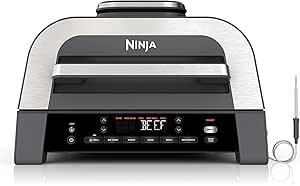
Ninja Foodi Smart XL 6-in-1 Indoor Grill and Air Fryer, Black/Silver (DG551)